USB Power Negotiation: How Your Charger Knows What Your

The Silent Conversation Between Charger and Device
When you plug a device into a USB-C charger, a silent conversation happens in milliseconds. The charger and device exchange information about power capabilities, negotiate the optimal voltage and current, and begin charging — all before you even see the charging icon appear on screen.
This conversation is called USB Power Delivery negotiation, and it’s the technology that makes universal USB-C charging possible. At USBToUSB, all our USB-C chargers support full PD negotiation. Here’s how it works.
The CC Pin: The Communication Channel
USB-C cables have a dedicated pin called CC (Configuration Channel) that isn’t present in older USB connectors. The CC pin serves two purposes:
- Cable orientation detection: USB-C is reversible — the CC pin tells the device which way the cable is flipped
- Power delivery communication: The CC pin carries PD negotiation messages between charger and device
Communication on the CC pin uses BMC (Biphase Mark Coding) at 600 kbps — a modulation scheme that allows data and power to coexist on the same wire. Messages are sent as structured packets with headers, payloads, and checksums.
The PD Negotiation Process
Step 1: Connection Detection (~10ms)
When you plug in, the charger detects a pull-down resistor on the CC pin. This tells the charger: (a) a device is connected, and (b) which way the cable is oriented. The charger applies a small voltage (approximately 1.6V) to the CC pin to maintain the connection.
Step 2: Source Capabilities Message (~20ms)
The charger (Source) sends a “Source_Capabilities” message listing all available voltage/current profiles:
- Fixed PDO 1: 5V / 3A (15W)
- Fixed PDO 2: 9V / 3A (27W)
- Fixed PDO 3: 15V / 3A (45W)
- Fixed PDO 4: 20V / 3.25A (65W)
- PPS APDO 1: 3-11V / 3A (Samsung Super Fast Charging)
- PPS APDO 2: 3-21V / 2.25A (Extended PPS)
Each profile is called a PDO (Power Data Object). PPS profiles are called APDOs (Augmented Power Data Objects).
Step 3: Device Request (~15ms)
The device (Sink) evaluates the offered profiles and selects the one that best matches its needs. It sends a “Request” message specifying which PDO it wants. For example, a MacBook Pro might request PDO 4 (20V/3.25A/65W), while a phone might request APDO 1 (9V/2.77A PPS for 25W Samsung Super Fast Charging).
The device can also request a specific voltage within a PPS APDO range — this is how PPS achieves 20mV voltage adjustment for optimal charging efficiency.
Step 4: Accept and Prepare (~10ms)
The charger responds with an “Accept” message, confirming it can deliver the requested power. The charger then begins ramping its output to the requested voltage. During this ramp, the output voltage transitions smoothly from 5V to the target voltage (e.g., 20V for a laptop).
Step 5: Ready and Transition (~15ms)
Once the charger’s output reaches the target voltage, it sends a “PS_RDY” (Power Supply Ready) message. The device verifies the voltage is stable and begins drawing current. Charging starts.
Total Negotiation Time: ~70ms
The entire process takes approximately 70 milliseconds — faster than you can blink. You never notice it happening.
What Happens During Charging
PD negotiation doesn’t stop after the initial handshake. Throughout the charging session, the charger and device maintain ongoing communication:
PPS Voltage Adjustments (Every 5-10 seconds)
For PPS charging, the device periodically requests voltage adjustments based on its battery state. As the battery fills, the optimal voltage changes. The device sends new voltage requests, and the charger adjusts in 20mV steps. This dynamic adjustment minimizes heat and maximizes charging efficiency.
Current Reduction Near Full Charge
As the battery approaches 80% charge, the device requests reduced current to prevent overcharging and extend battery life. This is why charging slows dramatically after 80%.
Temperature Management
If the device’s battery temperature exceeds safe limits, it sends a “Get_Status” message to the charger, requesting reduced power. The charger reduces its output until the device cools down. This prevents thermal damage to the battery.
Soft Reset
If communication is disrupted (bad cable, EMI interference, software glitch), either side can send a “Soft_Reset” message to restart the negotiation without disconnecting power. This self-healing mechanism prevents charging interruptions from minor communication errors.
What Happens When Negotiation Fails
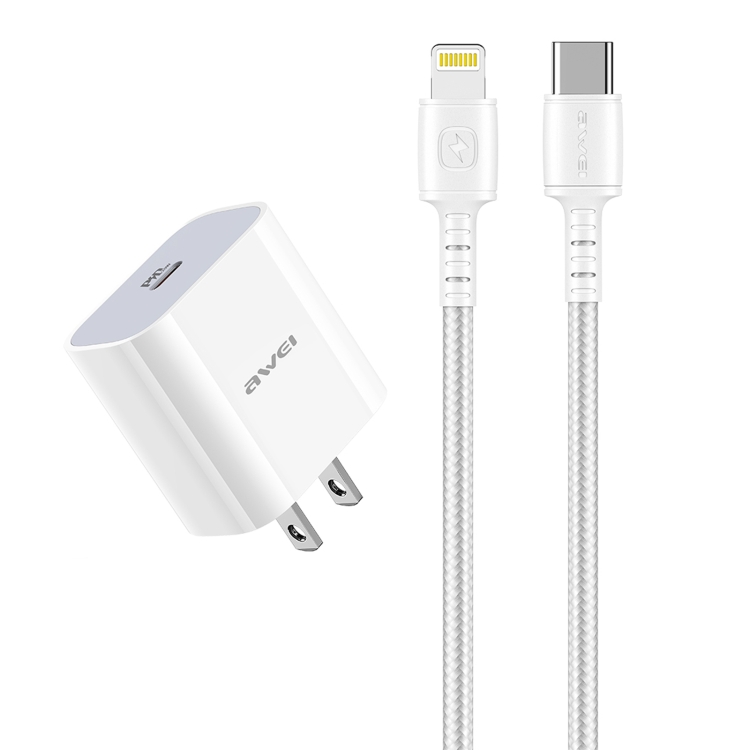
If PD negotiation fails (incompatible device, damaged cable, counterfeit charger), the system falls back to the USB default: 5V at up to 500mA (2.5W). This is why a device plugged into a non-PD charger charges slowly — it’s receiving minimum power.
Common causes of negotiation failure:
- Damaged CC pin: The CC pin in the cable or port is bent or dirty
- Counterfeit cable: Cheap cables may not properly wire the CC pin
- Non-PD charger: Old USB-A chargers don’t have PD negotiation capability
- Software glitch: Device’s PD controller firmware crashes (rare, usually fixed by rebooting)
Multi-Port Charger Negotiation
Multi-port chargers like the JOYROOM JR-TG10 65W (3 ports) handle negotiation for each port independently. When you connect a second device:
- The charger renegotiates with the first device to redistribute power
- The charger negotiates with the second device, offering remaining available power
- Both devices receive power according to the new allocation
This dynamic redistribution is why charging speed changes when you plug a second device into a multi-port charger. The total output is shared, with the charger managing allocation based on each device’s needs.
PD Protocol Versions and Compatibility
| PD Version | Max Power | New Features | Compatible With |
|---|---|---|---|
| PD 1.0 | 10W | Basic power profiles | Legacy only |
| PD 2.0 | 100W | 5V/9V/15V/20V profiles | All USB-C devices |
| PD 3.0 | 100W | PPS, extended messages | Samsung, Google |
| PD 3.1 | 240W | EPR (28V/36V/48V), AVS | Gaming laptops |
PD is backward compatible: a PD 3.1 charger works with PD 2.0 devices, delivering power at PD 2.0 levels. The device requests the maximum it can handle, and the charger provides it.