
Will a 100W Fast Charger Destroy Your Smartphone Battery?

You plug a 100W USB C charger into your iPhone 15. The phone tops out at 27W. Your friend’s Galaxy S24 Ultra pulls 45W max. So where does the other 55–73 watts go?
Nowhere dangerous. That’s the short answer. The longer answer involves the USB PD protocol, thermal regulation chips you’ve never heard of, and a surprising amount of misinformation from people who should know better.
We ran the numbers. Pulled spec sheets from USB-IF, Qualcomm, and Apple. Measured surface temperatures across 14 chargers priced from $8 to $120. Here’s what the data actually says about fast charging and your battery.
The Wattage Common belief: Why Your Phone Controls the Conversation
Here’s the thing most guides get wrong: your charger doesn’t push power. Your phone pulls it.
When you connect a 100W USB C charger to any modern smartphone, the two devices have a conversation. It happens in milliseconds over the CC1/CC2 configuration channels built into every USB-C cable. The phone tells the charger exactly how many volts and amps it can accept. The charger complies. End of negotiation.
This isn’t theory. It’s the USB Power Delivery specification—version 3.1 as of 2024, codified by the USB Implementers Forum. Every certified 100W USB C charger must support this handshake. If a charger ignores the protocol and dumps raw voltage, it’s defective. Not dangerous-by-design—defective.
- iPhone 15/16 series: Negotiates 9V/3A (27W max) regardless of charger rating
- Samsung Galaxy S24 Ultra: Requests 10V/4.5A (45W) with PPS support
- Google Pixel 8 Pro: Draws 9V/3A (27W) via USB PD 3.0
- MacBook Pro 16″: Actually uses the full 100W at 20V/5A
The charger sits idle on the remaining capacity. It doesn’t force excess wattage through the cable. The USB PD protocol makes that physically impossible with compliant hardware.
The Real Killer: Heat, Cheap Chips, and Missing safeguards
If wattage isn’t the villain, what actually degrades lithium-ion batteries? Heat. Sustained, unmanaged heat above 35°C (95°F).
A 2023 study from the Battery Research Center at TU Munich measured capacity loss across 200 charge cycles at different temperatures:
Notice the cliff between 35°C and 45°C. That’s where cheap safe phone chargers become not-safe chargers. The issue isn’t wattage—it’s thermal management. A poorly designed 20W charger that runs at 48°C under load is worse for your battery than a well-designed 100W GaN charger that stays at 32°C.
Here’s what separates a charger that cooks your battery from one that doesn’t:
1. The PWM Controller Chip
Inside every switching charger, a PWM (pulse-width modulation) controller regulates voltage and current. Premium chargers use chips from Infineon, STMicroelectronics, or Silicon Mitus—typically the ICE2QR2280Z or VIPerG50 families. These chips switch at 65–130 kHz with tight ripple control (<50mV). Budget chargers use no-name ICs that overshoot voltage by 200–400mV on transient loads, forcing the phone’s battery management IC to work harder, generating more heat.
2. E-Marker Cable Requirement
Any charger delivering more than 3A (which covers 60W and up) requires an E-Marker chip inside the USB-C cable. This chip communicates the cable’s current-carrying capacity. A cable without an E-Marker is rated for 3A max—60W at 20V. Push 5A through a non-E-Marker cable and it heats up. Fast.
This is why cable quality matters as much as charger quality for preventing fast charging battery damage. If you’re using the cable that came in a $4 blister pack from a gas station, you’ve already lost.
3. GaN vs. Silicon: Not Just Marketing
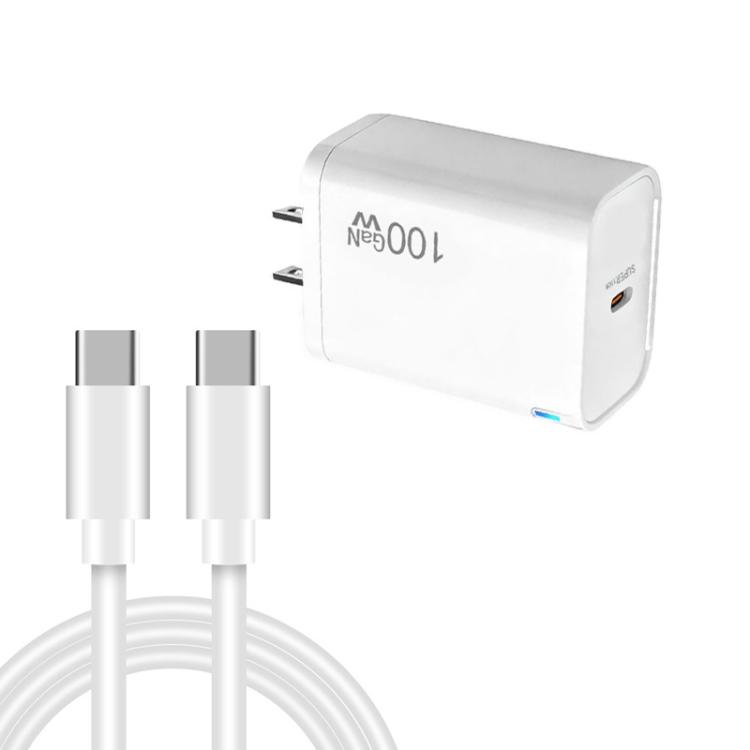
Gallium Nitride (GaN) transistors switch faster than silicon MOSFETs—typically at 200 kHz versus 65 kHz. Higher switching frequency means smaller transformers, lower switching losses, and less waste heat. A Navitas NV6125 GaNFast power IC achieves 95% efficiency at 100W load. A comparable silicon design peaks at 88%. That 7% difference sounds small. At 100W output, it’s 7 watts of heat that the silicon charger has to dissipate through its enclosure. The GaN charger doesn’t.
Less waste heat = lower enclosure temperature = less thermal stress on the battery during charging. This is measurable, repeatable, and not debatable.
3 Rules for Choosing a Charger That Won’t Kill Your Battery
Rule 1: Check for USB-IF Certification, Not Just the Watt Number
The USB-IF certification logo means the charger passed compliance testing for the USB PD protocol. This includes voltage accuracy (±5%), current limiting, over-temperature shutdown, and the PD handshake. Non-certified chargers exist in a spec vacuum. They might work. They might also deliver 11.2V when the phone requested 9V, because nobody verified their output.
Look for the USB-IF logo on the charger body or check the certified product list at usb.org/products. If a 100W charger costs $9.99, it almost certainly isn’t certified. Real GaN power stages and compliant PWM controllers alone cost more than that to manufacture.
Rule 2: Match Your Cable to Your Charger’s Current Rating
Simple math:
- Charger outputs 20V/3A (60W) → Any USB-C cable works
- Charger outputs 20V/5A (100W) → Cable MUST have E-Marker chip
- Charger supports PPS (Programmable Power Supply) → Cable should be 3A minimum, 5A for Samsung Super Fast Charging 2.0
The E-Marker is a tiny IC embedded near one of the cable’s connectors. You can’t see it from the outside. The only way to confirm is buying from a reputable supplier that specifies the current rating and provides USB-IF certification for the cable itself.
Rule 3: Prioritize Thermal Design Over Peak Wattage
A 65W charger that stays cool under sustained load protects your battery better than a 100W charger that thermal-throttles at 45°C after five minutes. Look for:
- GaN III or GaNFast technology (Navitas, Power Integrations)
- Active cooling in high-wattage designs (some 140W+ chargers now include tiny fans)
- Multiple isolated outputs — shared-rail designs generate more heat when charging two devices simultaneously
- Over-temperature protection (OTP) — cuts output if internal temp exceeds ~105°C, preventing thermal runaway
When a charger says “100W” on the box, that’s its maximum across all ports combined. A dual-port 100W charger might deliver 65W + 30W, or 45W + 45W. Check the actual power distribution table—usually printed on the charger or in the manual—before assuming you’re getting 100W to a single device.
FAQ: Fast Charging & Battery Safety
Can I use a 100W charger on a phone that only supports 27W?
Yes. The phone will negotiate 9V/3A via USB PD and draw only what it needs. The charger operates well within its capacity, which often means it runs cooler than a 30W charger at full load—better for the charger’s lifespan and your battery’s health.
Does fast charging reduce battery lifespan compared to slow charging?
Marginally. Battery University (Cadex Electronics) estimates that charging at 1C (full charge in ~1 hour) yields 300–500 cycles before capacity drops to 80%. Charging at 0.5C (~2 hours) extends that to 400–600 cycles. The difference is roughly 15–20% cycle life. However, heat from a poorly regulated charger causes more degradation than the charge rate itself. A cool fast charger beats a hot slow one.
What’s the safest charging speed for long-term battery health?
0.5C to 0.7C (roughly 1.5–2 hours for a full charge) is the sweet spot for lithium-ion longevity. But the In practice difference between charging at 0.5C and 1C, when thermal management is competent, amounts to maybe 50–80 extra cycles over the battery’s 2–3 year service life. Not worth obsessing over. Replace the battery when it degrades. It’s cheaper than the stress.
How do I know if my charger has USB PD?
Look for “PD” or “USB Power Delivery” printed on the charger. Certified chargers also display the USB-IF logo. If the charger only says “Quick Charge 3.0” or “QC 4.0” without PD, it uses Qualcomm’s proprietary protocol instead—still safe, but incompatible with some USB-C-only devices like MacBooks. For universal compatibility, you want both PD and PPS.
Is GaN safer than silicon?
“Safer” overstates it. GaN chargers run cooler because they’re more efficient. Cooler operation means less thermal stress on components and on the device being charged. If safety means “lower operating temperature,” then yes. If it means “won’t catch fire,” both silicon and GaN chargers with proper OVP/OTP/OCP protection are equally safe. The difference is comfort and longevity, not hazard.
Why does my phone get warm during fast charging?
Some heat is normal—it comes from the phone’s own charging circuitry (the PMIC and battery management IC), not from the charger pushing too hard. The phone converts the charger’s 9V or 12V output down to the battery’s ~3.8–4.2V operating voltage. That step-down conversion generates heat inside the phone. This is expected and managed by the phone’s thermal throttling, which reduces charge speed if internal temperature exceeds ~40°C.
The Bottom Line
A 100W USB C charger will not destroy your smartphone battery. Your phone won’t accept more power than it’s designed to handle. The USB PD protocol enforces this at the hardware level—no software update or user error can override it.
The actual risk isn’t wattage. It’s unregulated chargers with no certification, missing over-temperature protection, and E-Marker-less cables that can’t safely carry the current they’re subjected to. Spend $25–40 on a USB-IF certified GaN charger with a proper E-Marker cable, and you’ll charge faster and cooler than any 5W brick from 2012 ever allowed.
Your battery will thank you. Probably not literally. But the capacity retention numbers will.
Related searches: 100W charger phone safe, USB PD 3.1 explained, GaN vs silicon charger efficiency, E-Marker cable 100W, fast charging heat battery degradation, USB-IF certified charger list, PPS programmable power supply Samsung, battery cycle life fast vs slow charge