USB Interface Types Explained: USB-A, USB-B, USB-C, Mini, Micro

Understanding USB Connector Types
USB connectors come in various shapes and sizes, each designed for specific purposes and devices. Knowing about these connector types matters for choosing the right cables and ensuring compatibility with your devices.
USB-A: The Original Standard
USB-A is the rectangular connector we’ve all encountered. Introduced in 1996, it remains the most common computer port.
Technical Specifications
- Shape: Rectangular, non-reversible (4 pins for USB 2.0, 9 pins for USB 3.0+)
- Size: 12mm width × 4.5mm height
- Maximum Speed: USB 3.2 Gen 2 (10 Gbps)
- Power Delivery: Up to 100W with USB PD
Common Applications
- Desktop and laptop computer ports
- USB flash drives
- Keyboards, mice, and game controllers
- External hard drive enclosures
- USB hubs
Advantages and Limitations
Advantages:
- Widely available and universally recognized
- Sturdy construction with proven reliability
- Supports all USB speed standards through USB 3.2 Gen 2
Limitations:
- Non-reversible design causes insertion frustration
- Large size unsuitable for slim mobile devices
- Cannot support USB4 or USB 3.2 Gen 2×2 speeds
USB-B: The Peripheral Connector
USB-B connectors are designed primarily for peripheral devices like printers and scanners.
USB-B Variants
- Standard USB-B: Square connector with beveled corners, used for printers and scanners
- USB-B Mini: Smaller variant for early portable devices
- USB-B Micro: Thinnest variant, once standard for smartphones
- USB 3.0 USB-B: Features additional pins for SuperSpeed data transfer
Technical Details
- Pin Configuration: 4 pins (USB 2.0), 9 pins (USB 3.0)
- Maximum Speed: 5 Gbps (USB 3.0 variant)
- Typical Uses: Printers, scanners, external drives, Arduino boards
USB-C: The Universal Future
USB-C represents the future of connectivity. Standardized in 2014, this reversible connector supports all modern USB standards.
Technical Specifications
- Shape: Reversible oval, 24-pin configuration
- Size: 8.25mm width × 2.4mm height (smaller than Micro-USB)
- Maximum Speed: 80 Gbps (USB4 v2.0)
- Power Delivery: Up to 240W (USB PD 3.1)
Key Features
- Reversible Design: Plug in either way – no more frustration
- Multi-Protocol Support: USB, DisplayPort, HDMI, Thunderbolt
- High Power Delivery: Charge laptops, monitors, even servers
- Bi-directional Power: Devices can send or receive power
- Digital Audio Support: Headphones and audio devices
Alternate Modes (Alt Modes)
USB-C supports multiple protocols through alternate modes:
- DisplayPort Alt Mode: 4K/8K video output
- HDMI Alt Mode: HDMI video and audio
- Thunderbolt Alt Mode: 40 Gbps data transfer
Mini-USB: The Transitional Connector
Mini-USB served as an early mobile device connector before being replaced by Micro-USB.
Specifications
- Variants: Mini-A, Mini-B, Mini-AB (OTG)
- Pin Configuration: 5 pins
- Maximum Speed: 480 Mbps (USB 2.0)
- Size: 6.8mm width × 3mm height
Historical Significance
Mini-USB was the standard for:
- Early MP3 players (before Apple’s proprietary connector)
- Digital cameras (2000-2010)
- Early smartphones and PDAs
- GPS devices and external hard drives
Mini-USB is now largely obsolete but may still be found in vintage electronics, industrial equipment, and some medical devices.
Micro-USB: The Previous Mobile Standard
Micro-USB dominated mobile devices from 2007 until USB-C became prevalent around 2016.
Technical Specifications
- Variants: Micro-A, Micro-B, Micro-AB (OTG)
- Pin Configuration: 5 pins (USB 2.0), 10 pins (USB 3.0 variant)
- Maximum Speed: 480 Mbps (USB 2.0), 5 Gbps (USB 3.0 variant)
- Size: 6.85mm width × 1.8mm height
Why Micro-USB Replaced Mini-USB
- Thinner Design: Essential for slim smartphones
- Higher Durability: 10,000 insertion cycles vs. 5,000 for Mini-USB
- OTG Support: On-The-Go capability for device-to-device connection
- Universal Adoption: EU mandated it for phone chargers in 2011
Connector Comparison Table
| Connector | Year | Max Speed | Max Power | Reversible |
|---|---|---|---|---|
| USB-A | 1996 | 10 Gbps | 100W | No |
| USB-B | 1996 | 5 Gbps | 4.5W | No |
| Mini-USB | 2000 | 480 Mbps | 2.5W | No |
| Micro-USB | 2007 | 480 Mbps | 15W | No |
| USB-C | 2014 | 80 Gbps | 240W | Yes |
Choosing the Right Cable
When selecting cables, consider:
- Device Compatibility: Match connector type to your devices
- Speed Requirements: Choose USB 3.0+ for fast data transfer
- Power Needs: High-wattage charging requires USB-C with PD
- Durability: Braided cables last longer
- Certification: Look for USB-IF certified cables
FAQ Section
Can I use a USB-C to USB-A cable?
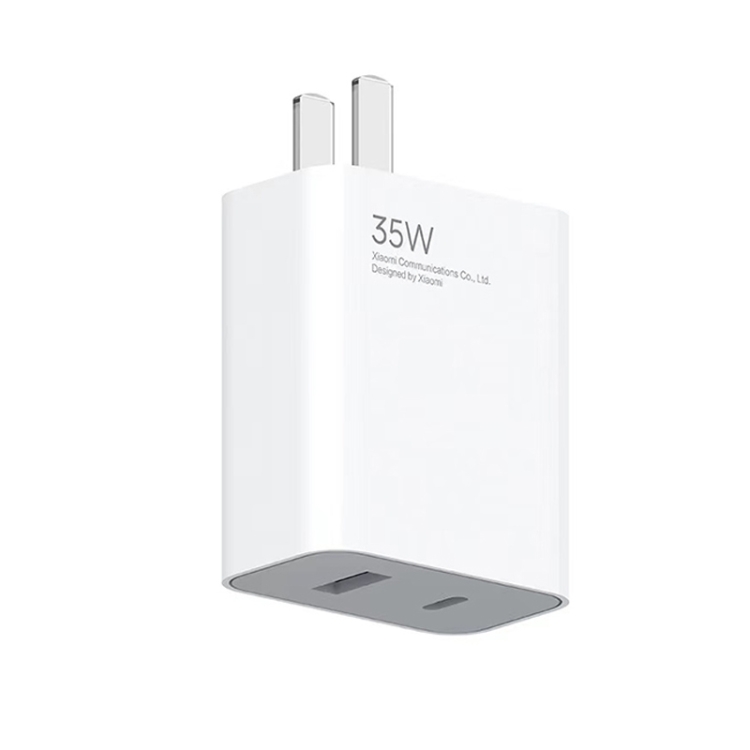
Yes, USB-C to USB-A cables are common for connecting modern devices to computers. However, speeds are limited to USB 3.2 Gen 2 (10 Gbps) as USB-A doesn’t support USB4.
Why does USB-A have a specific orientation?
The USB-A design includes keyed connectors to ensure proper electrical connection. USB-C solved this with a fully reversible design.
Is Micro-USB still worth buying?
Only if you have legacy devices that require it. For new purchases, USB-C offers superior performance and convenience.
Can all USB-C cables support 100W charging?
No, only USB-C cables with E-Marker chips and USB PD certification can handle power above 60W (3A). Standard cables are limited to 60W.
What’s the difference between Micro-USB and Mini-USB?
Micro-USB is thinner, more durable, and became the mobile standard. Mini-USB is larger and mostly obsolete.
Key Takeaways
- USB-A remains the most common computer port but cannot support USB4
- USB-B is specialized for peripherals and declining in use
- USB-C is the future-proof universal connector supporting all modern standards
- Mini-USB and Micro-USB are legacy connectors being phased out
- Choose connectors based on device compatibility, speed, and power requirements
Related Searches
- USB-C vs Micro-USB differences
- USB connector types chart
- USB-C reversible connector benefits
- USB-B connector uses
- USB-A maximum speed
Related Articles
- USB-C to USB-B Printer Cable
- Right Angle USB-C to USB-C
- Short USB-C to USB-C
- Long USB-C Cables (15ft/10ft)