USB Hub vs Docking Station: Which Is Right for Your Setup?

The Hub vs Dock Dilemma
“I need more USB ports” sounds like a simple problem with a simple solution: buy a USB hub. But search for USB hubs online and you’ll quickly find products called “docking stations” that look similar but cost 2-3x more. What’s the difference, and which do you actually need?
At USBToUSB, we carry both USB hubs (like the A-809 4-port) and full docking stations (like the MCY 12-in-1). This guide will help you choose the right product for your specific setup.
USB Hub: What It Is
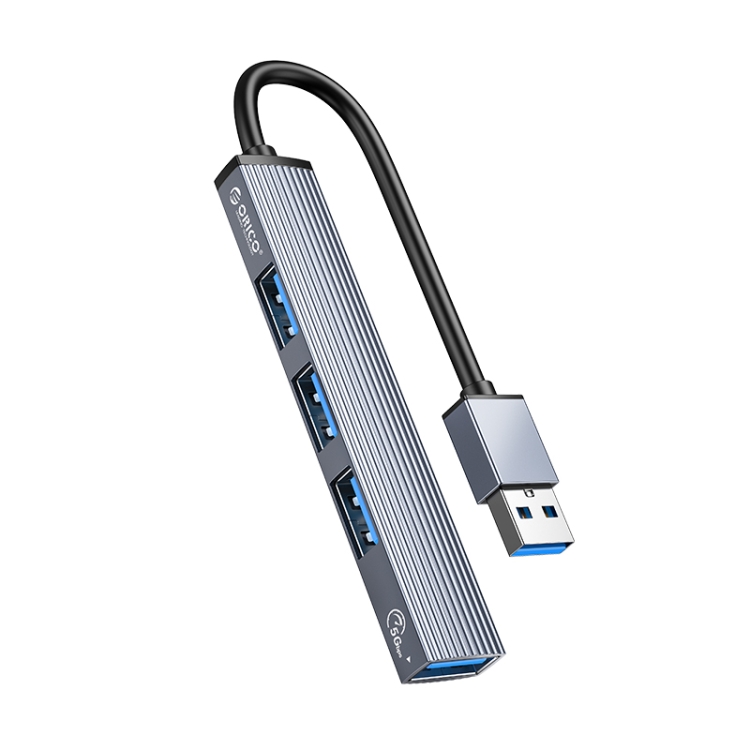
A USB hub is a simple port multiplier. It takes one USB connection from your computer and splits it into multiple ports. Hubs are typically bus-powered (draw power from the USB port) and focus on data connectivity. Our A-809 4-Port USB 3.0 Aluminum Hub is a classic USB hub — it provides 4 USB 3.0 ports from a single USB-A connection.
Key characteristics of USB hubs:
- Bus-powered: No external power adapter needed (limited to 500-900mA total shared power)
- Data only: Primarily for USB peripherals (no video output in basic hubs)
- Plug and play: No drivers or software required
- Compact: Small enough to carry in a laptop bag
- Affordable: $10-$30 for quality hubs
Docking Station: What It Is
A docking station is a more sophisticated device that combines port expansion with additional capabilities: video output, Ethernet, audio, and sometimes dedicated power. Docking stations often require external power to support all features simultaneously.
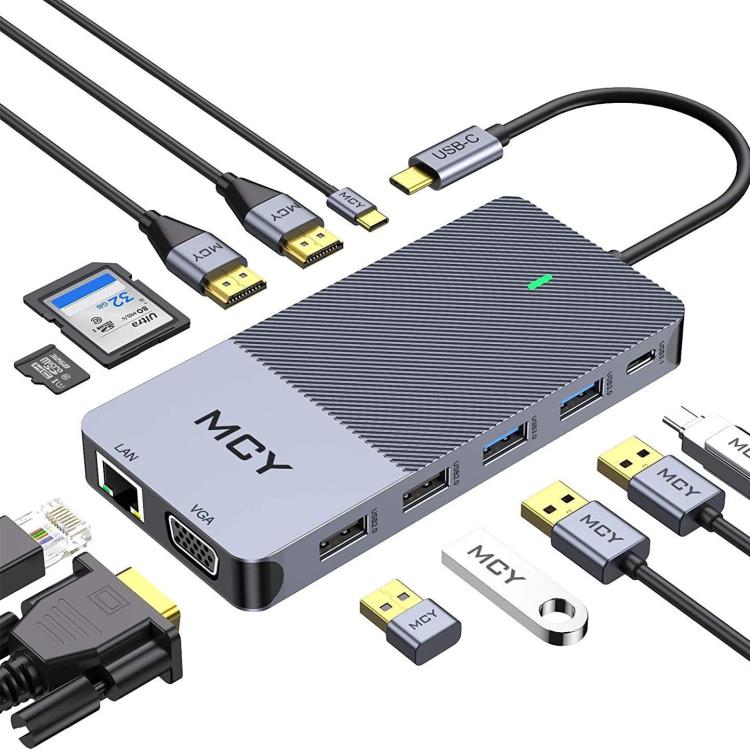
Our MCY 12-in-1 USB-C Hub is technically a docking station — it provides triple monitor support, Gigabit Ethernet, 85W PD pass-through, SD card readers, and 7 USB ports from a single USB-C connection.
Key characteristics of docking stations:
- Externally powered: Often includes or requires a power adapter for full functionality
- Multi-function: Video output, Ethernet, audio, and USB expansion in one device
- Larger form factor: Designed for desktop use, not portable carry
- Higher price: $30-$80+ depending on features
- May require drivers: Some docks require driver installation for video output
Feature Comparison
| Feature | USB Hub | Docking Station |
|---|---|---|
| Port expansion | Yes (4-8 ports) | Yes (7-12 ports) |
| Video output | No (basic hubs) | Yes (1-3 monitors) |
| Ethernet | No | Yes (Gigabit) |
| SD card reader | No | Yes |
| Audio jack | No | Sometimes |
| PD pass-through | No | Yes (60-100W) |
| External power | No (bus-powered) | Yes (usually included) |
| Portability | High | Low |
| Price | $10-$30 | $30-$80 |
When to Choose a USB Hub
A USB hub is the right choice when you:
- Just need more USB ports: If you have a keyboard, mouse, webcam, and flash drive but not enough ports
- Don’t need video output: Your monitor connects directly to your computer’s video port
- Value portability: You need to carry the device between locations
- Have a tight budget: Hubs are significantly cheaper than docks
- Use USB-A peripherals: Most basic hubs offer USB-A ports, which match older peripherals
Recommended: A-809 4-Port USB 3.0 Aluminum Hub — durable, fast, and affordable.
When to Choose a Docking Station
A docking station is the right choice when you:
- Need dual or triple monitors: For productivity or creative work
- Need wired Ethernet: For stable, low-latency network connections
- Have a laptop with limited ports: MacBook Pro with only USB-C ports, for example
- Want a single-cable desktop solution: Connect one cable to your laptop for full desktop setup
- Need SD card readers: For photography or video work
- Want laptop charging through the dock: PD pass-through eliminates the need for a separate charger
Recommended: MCY 12-in-1 USB-C Hub — triple monitor, 85W PD, Gigabit Ethernet, and 7 ports in one device.
The Hybrid Middle Ground
Some products blur the line between hub and dock. The BYL-2218TU 8-in-1 and 3-in-1 USB-C to HDMI Hub offer video output and multiple USB ports in a compact, bus-powered form factor. These “mini docks” provide dock-like features in a hub-sized package, making them ideal for users who need one external monitor and basic port expansion.
Power Considerations
Bus-powered hubs share the USB port’s power among all connected devices. A USB 3.0 port provides 900mA — enough for a keyboard, mouse, and one flash drive, but not enough for an external hard drive (which needs 500-800mA alone).
Docking stations with external power can deliver full power to every port. The MCY 12-in-1’s 85W PD pass-through can charge a MacBook Pro while simultaneously powering 7 USB devices — something no bus-powered hub can do.
Decision Framework
- Do you need video output? → Dock (or USB-C hub with HDMI)
- Do you need Ethernet? → Dock
- Do you need to charge your laptop through the device? → Dock with PD pass-through
- Do you have high-power USB devices (HDD, SSD)? → Dock or powered hub
- Is portability important? → Hub
- Is budget the primary concern? → Hub
- Do you want a single-cable desktop solution? → Dock
If you answered “yes” to any of questions 1-4, a docking station is the better choice. If you answered “no” to all of them, a USB hub is sufficient.