Desktop Charging Stations: How to Organize All Your

The Cable Chaos Problem
If your desk looks like a spaghetti of USB cables, you’re not alone. The average desk has a laptop, phone, wireless earbuds, smartwatch, tablet, and possibly a power bank — all needing to charge. Individual chargers for each device create cable chaos and consume every available wall outlet.
A desktop charging station solves this problem by consolidating all your charging into a single, organized hub. We carry solutions ranging from 3-port GaN chargers to 8-port desktop stations. Here’s how to choose and set up the perfect charging station for your desk.
Types of Desktop Charging Setups
1. Multi-Port GaN Charger (3-4 Ports)
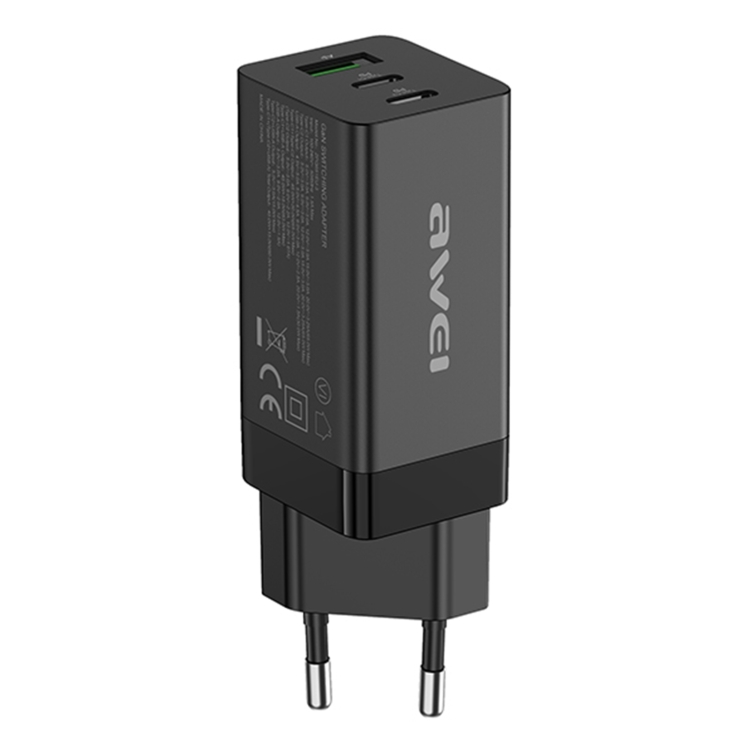
The JOYROOM JR-TG10 65W with three ports is the simplest solution. It plugs directly into a wall outlet and provides 2 Type-C + 1 USB-A ports. This handles a laptop + phone + earbuds without any additional hardware. Best for minimalist desks with 3-4 devices.
2. Desktop USB Hub with Charging (4-7 Ports)
The BYL-2217TU 7-in-1 Hub combines USB 3.0 data transfer with charging capability. It connects to your laptop via USB-C and provides 7 ports for peripherals and charging. The AH-A13 USB 3.0 Hub adds 4 USB 3.0 ports for expanding your desktop connectivity.
3. Dedicated Charging Station (6-8 Ports)
The 50W 6-Port and 150W 8-Port charging stations are designed specifically for desktop charging. They sit on your desk and provide 6-8 ports for simultaneous charging. The 8-port version includes 4 USB-A and 4 Type-C ports, handling everything from phones to laptops.
Planning Your Desktop Charging Setup
Step 1: Count Your Devices
List every device that needs regular charging:
- Laptop (requires 45-100W Type-C PD)
- Phone (requires 15-25W Type-C PD)
- Tablet (requires 20-30W Type-C PD)
- Wireless earbuds (5-10W)
- Smartwatch (2.5-5W)
- Power bank (10-65W)
- Wireless mouse/keyboard (5W)
For 4-5 devices, a 4-port 65W+ station suffices. For 6+ devices, you need a dedicated 8-port charging station.
Step 2: Calculate Total Power Needs
Add up the power requirements of all devices that might charge simultaneously:
- Laptop: 65W
- Phone: 20W
- Tablet: 25W
- Earbuds: 5W
- Smartwatch: 5W
- Total: 120W
For this scenario, the 150W 8-Port station provides ample headroom. The 50W 6-Port would insufficient for simultaneous laptop charging.
Step 3: Choose Cable Management
Even the best charging station looks messy without cable management. Consider these accessories:
- USB-C cable organizer clips: Keep cables from sliding off the desk edge
- Right-angle USB-C adapters: Prevent cables from sticking straight up
- Short USB-C cables (0.3m): Reduce cable clutter for devices that sit near the charger
- Cable sleeves: Bundle multiple cables into a single tube
Best Desktop Charging Station Configurations
For the Home Office (4 devices)
- Charger: JOYROOM JR-TG10 65W (3 ports)
- Cables: 1× 1m USB-C (laptop), 1× 0.5m USB-C (phone), 1× 0.3m USB-A (earbuds)
- Optional: A-809 4-port USB 3.0 Hub for peripheral expansion
For the Family Desk (6+ devices)
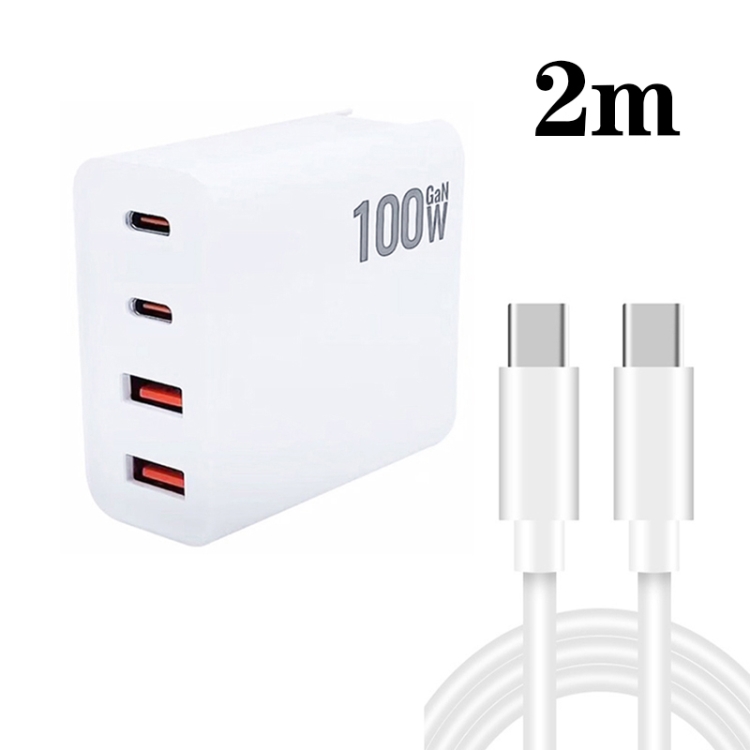
- Charger: 150W 8-Port Station (4 USB-A + 4 Type-C)
- Cables: Mix of 0.3m, 0.5m, and 1m USB-C and USB-A cables
- Optional: MCY 12-in-1 USB-C Hub for laptop connectivity
For the Creator Setup (laptop + camera + accessories)
- Charger: 65W GaN + USB hub combo
- Hub: BYL-2218TU 8-in-1 for SD card reader, HDMI, and USB ports
- Cables: USB-C for laptop, USB-A for camera transfer, HDMI for monitor
Placement and Ergonomics
Place your charging station where it’s easily accessible but not in the way. Common positions:
- Under the monitor stand: Hidden but accessible
- Desk edge with cable clips: Cables hang neatly
- Dedicated charging shelf: Keep devices on a small shelf above the station
Avoid placing the charging station directly on carpet or in enclosed spaces — chargers need airflow for cooling, especially under load.