Coiled USB Cables: Why Retro Is Making a Comeback in 2026

The Coiled Cable Renaissance
Coiled USB cables — the springy, retractable cords reminiscent of old telephone handset cables — are experiencing a renaissance. What started as a retro aesthetic trend has evolved into a genuinely practical cable solution for desks, cars, and workstations where cable management is a constant battle.
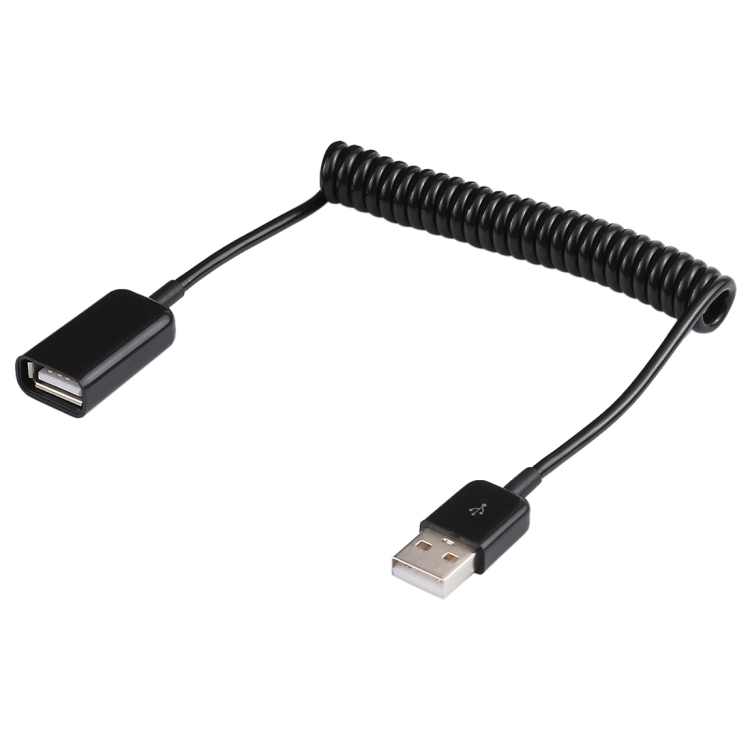
At USBToUSB, we carry the 1m USB-A Male to USB-A Female Spring Coiled Cable. Here’s why coiled cables deserve a spot in your setup.
What Is a Coiled USB Cable?
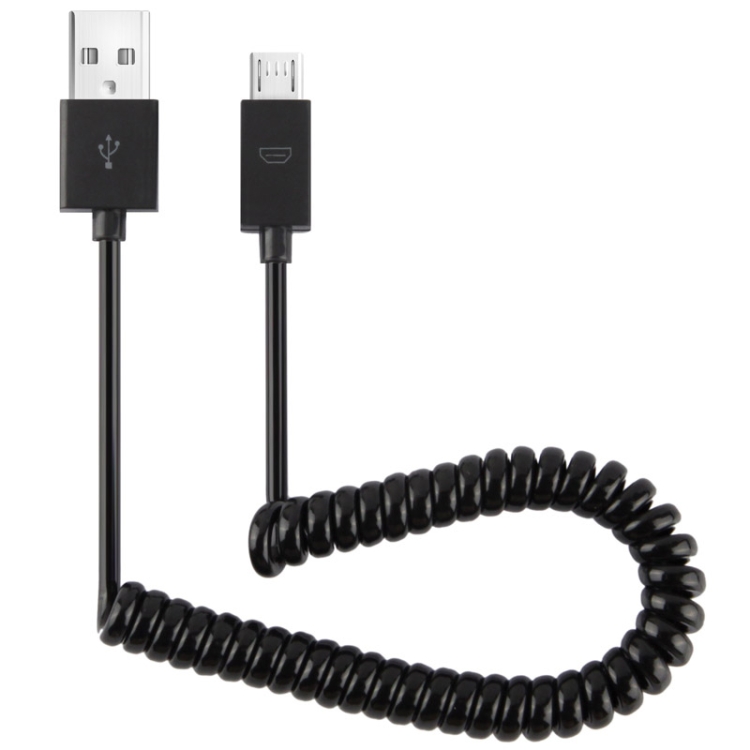
A coiled USB cable uses a helical spring design that allows the cable to extend when pulled and retract automatically when released. Unlike rigid cables that dangle, tangle, or lie in messy piles, a coiled cable maintains a compact form factor when not in use.
Our spring coiled cable extends to approximately 1 meter when stretched and retracts to about 20cm when relaxed. This means it takes up minimal desk space but can reach across your desk when needed.
Practical Advantages of Coiled Cables
Automatic Cable Management
No more tangled cables or excess length dragging on the floor. The coiled design self-manages its length — when you disconnect a device, the cable retracts to its compact resting state. This is especially useful on a desk where space is at a premium.
Tangle-Free Storage
Standard cables tangle when thrown in a bag. Coiled cables spring back into shape, making them ideal for travel and portable use. The spring mechanism prevents the knotting that plagues flat cables.
Stress Relief on Connectors
The coil absorbs tension. If someone bumps your device, the cable stretches rather than yanking the connector — preventing damage to USB ports. This is particularly valuable for devices mounted on moving platforms or in vehicles.
Dust and Debris Protection
When retracted, the coils nest together, protecting the cable from dust accumulation. This is a surprising benefit in environments like workshops, garages, or industrial settings.
Best Use Cases for Coiled USB Cables
Automotive Use
Coiled cables excel in cars, where a standard cable is either too short or too long. A coiled cable stretches from the dashboard to the phone mount without excess cable tangling around the gear shift. The automatic retraction keeps the dashboard clean when no device is connected.
Desk Setup
For a keyboard or mouse that occasionally needs to be moved (for cleaning, rearranging), a coiled extension cable provides reach without cable clutter. The USB-A female end accepts your device’s existing cable.
Workshop and Industrial Settings
In environments where tools are moved frequently, coiled cables prevent the “cable drag” problem — the cable stays out of the way until you need it, then stretches to reach wherever you’re working.
Travel
A coiled cable in your bag won’t tangle with other cables or items. It’s the most packable USB cable format available.
Technical Limitations of Coiled Cables
USB 2.0 Speed Only
The coiling process introduces signal interference due to the cable’s geometry. The coiled shape increases crosstalk between wire pairs, making USB 3.0+ speeds impractical. Our spring coiled cable is rated for USB 2.0 (480 Mbps), which is sufficient for charging, keyboard/mouse, and basic data transfer.
Current Limitations
The thin wires needed for flexibility limit current carrying capacity. Most coiled cables are rated for 500mA (USB 2.0 standard) to 1A. They can charge phones and power peripherals but aren’t suitable for fast charging or high-power devices.
Extension Limitations
The coiled cable functions as a USB extension — male to female. This means it extends an existing cable rather than directly connecting a device to a computer. It’s ideal for giving an existing short cable more reach.
The Aesthetic Appeal
Beyond functionality, coiled cables have a distinctive retro aesthetic that’s popular in custom keyboard builds and mechanical keyboard communities. The spiral shape adds visual interest to an otherwise flat desk setup. Many users pair coiled cables with artisan keycaps and custom keyboard cases for a unique look.
How to Choose a Coiled USB Cable
- Connector type: USB-A male to USB-A female (most versatile for extending peripherals)
- Extended length: 1m is standard; shorter coiled cables offer more tension and retraction
- USB version: USB 2.0 is standard for coiled cables; avoid claims of USB 3.0+ coiled cables without verification
- Build quality: Look for tight, uniform coils with good spring-back memory
- Connector strain relief: Ensure the connectors have strong strain relief boots