Why CarPlay Keeps Disconnecting (And the $12 Cable That Fixes It)

Why CarPlay Keeps Disconnecting (And the $12 Cable That Fixes It)
This is one of the most frustrating problems with CarPlay disconnect. It works sometimes. It fails sometimes. There’s no error message that tells you why. And every forum thread gives you a different answer — “buy a new cable,” “reset your device,” “it’s a software bug.” Most of those answers are wrong.
CarPlay CC pin + USB 2.0 bandwidth. Once you understand the root cause, the fix is specific and permanent.
The Real Root Cause
Most CarPlay disconnect problems trace back to one of three causes:
- Signal integrity failure — The cable’s data pairs can’t maintain clean signal at the required speed. This causes packet loss, retransmissions, and eventual disconnection.
- Power negotiation failure — The USB PD handshake over the CC pins doesn’t complete successfully. Your device falls back to 5V/0.5A or refuses to charge at all.
- Physical connector wear — The USB-C port or plug has worn down enough that the CC pin contact is intermittent. The device connects and disconnects rapidly.
Each cause has a different fix. Diagnosing the wrong cause means wasting money on the wrong solution.
How to Diagnose
Step 1: Swap the Cable First
This sounds obvious, but the key detail is what you swap to. Don’t grab another cable from the same Amazon pack — those are likely the same spec. Grab a cable from a different brand that explicitly lists USB 3.2 Gen 1 or Gen 2 (5 or 10 Gbps) and has USB-IF certification. If the problem disappears, your original cable was the issue.
Step 2: Check the Port
Shine a flashlight into the USB-C port. Look for bent or recessed pins, debris, or liquid residue. The center pins (CC1/CC2) are the most critical — if either is damaged, PD negotiation fails. A wooden toothpick (not metal) can gently clear debris. Bent pins require professional repair.
Step 3: Test on Another Device
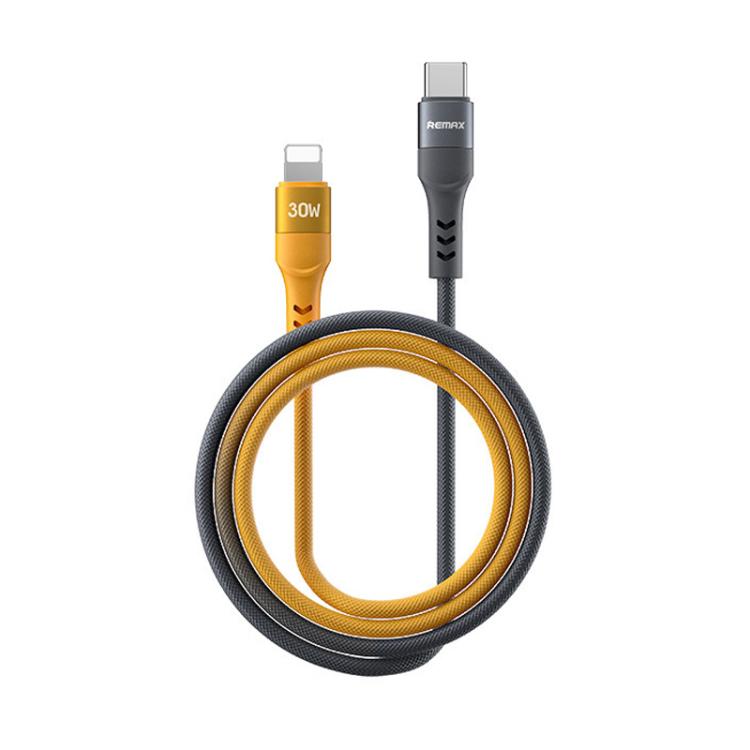
Connect the same cable and device to a different computer or charger. If the problem follows the cable, it’s the cable. If it follows the device, it’s the port. If it follows the charger, it’s the charger’s PD controller.
The Fix
Based on the diagnosis:
| Root Cause | Fix | Cost |
|---|---|---|
| USB 2.0 cable used for data | Replace with USB 3.2 Gen 2 (10 Gbps) cable | $10-15 |
| Missing E-Marker for 100W+ | Replace with E-Marker certified cable | $12-18 |
| Worn USB-C port | Professional port replacement | $50-120 |
| Charger PD controller failure | Replace charger with USB-IF certified unit | $15-40 |
| Intermittent CC pin contact | Clean port + replace cable with tighter connector | $0-15 |
Prevention
Three habits that prevent 90% of CarPlay disconnect problems:
- Buy USB-IF certified cables only. The certification validates CC pin resistance, PD negotiation timing, and signal integrity — all the things that cause intermittent failures when they’re wrong.
- Don’t unplug by pulling the cable. Grip the connector shell. Pulling the cable strains the internal solder joints and the connector’s retention clips.
- Keep the port clean. Pocket lint in a USB-C port is the #1 physical cause of intermittent connections. Check your phone’s port monthly if you keep it in your pocket.
The Bottom Line
Most CarPlay disconnect problems are cable problems, not device problems. A $12 cable with the right spec fixes more issues than a $120 repair. Diagnose first. Buy second. And always check for USB-IF certification — it’s the single most reliable predictor of whether a cable will cause problems.
Browse our USB-C cable collection for certified options that list their full specs.
FAQ
Why does my CarPlay disconnect work with one device but not another?
Different devices negotiate different PD profiles. A cable that successfully delivers 27W to an iPhone may fail at 45W with a Samsung Galaxy because the PPS negotiation requires tighter voltage regulation. The cable that works at lower power may have marginal CC pin contact that fails under higher current draw.
Can a bad CarPlay disconnect damage my device?
A genuinely defective cable — one that shorts VBUS to ground or delivers unregulated voltage — can damage a device. This is extremely rare with USB-IF certified cables, which include over-voltage and short-circuit protection as part of the certification. The more common problem is a cable that simply doesn’t work, not one that causes damage.
How do I clean a USB-C port safely?
Use a wooden toothpick (never metal) to gently remove lint and debris from the port. A can of compressed air can dislodge particles. For sticky residue, a small amount of isopropyl alcohol on the toothpick tip works. Never insert anything conductive into the port — a short between VBUS and adjacent pins can damage the device.
Related Searches: CarPlay disconnect, CarPlay USB-C cable, Apple CarPlay not working, CarPlay cable fix, USB-C cable buying tips, charger safety certification, USB-IF certified products, best USB-C accessories 2026