USB Power Delivery (PD) Protocol: How Smart Charging Works

Introduction
Technical breakdown of USB PD protocol, negotiation handshakes, and power profiles up to 240W. This complete guide covers the technical foundations, practical applications, and expert insights you need to understand this topic thoroughly.
Technical Overview
The USB Power Delivery protocol represents a critical aspect of modern USB technology. Understanding its core principles helps users and professionals make informed decisions about USB infrastructure, device compatibility, and performance optimization.
Key Specifications
| Parameter | Specification | Notes |
|---|---|---|
| Data Rate | Up to 40 Gbps (USB4) | Depends on USB version and cable certification |
| Power Output | 5V to 48V, up to 5A | USB PD 3.1 Extended Power Range |
| Maximum Cable Length | 1m (40 Gbps) to 4m (480 Mbps) | Active cables can extend beyond passive limits |
| Connector Durability | 10,000 insertion cycles | USB Type-C specification minimum |
How It Works
The technical mechanism behind USB Power Delivery protocol involves several interconnected systems working in harmony. At the physical layer, differential signal pairs transmit data using NRZI encoding, while dedicated power lines carry current to connected devices. The protocol stack manages device enumeration, configuration, and data transfer through a structured handshake process.
Signal Architecture
USB uses a half-duplex differential signaling system. The D+ and D- lines carry complementary signals, with the voltage difference between them representing binary data. This differential approach provides excellent noise immunity, allowing reliable data transmission even in electrically noisy environments.
For USB 3.x and later, additional SuperSpeed pairs (SSTX+, SSTX-, SSRX+, SSRX-) provide full-duplex communication at much higher data rates. These pairs operate independently of the USB 2.0 D+/D- lines, enabling backward compatibility while delivering dramatically improved performance.
Practical Applications
Understanding USB Power Delivery protocol has practical implications across multiple scenarios:
- Consumer Electronics: Smartphones, tablets, and laptops rely on USB for both charging and data transfer, with USB-C becoming the universal standard.
- Industrial Applications: USB connects sensors, actuators, and control systems in manufacturing environments, requiring strong cables and reliable connectors.
- Automotive Integration: Modern vehicles feature USB-C ports with PD for infotainment systems and passenger device charging, demanding automotive-grade components.
- Medical Devices: USB enables data logging and firmware updates for medical equipment, with strict safety and reliability requirements.
Performance Factors
Several factors influence the Actual performance of USB connections:
Cable Quality
The quality of a USB cable significantly impacts both charging speed and data integrity. Premium cables use thicker conductors (lower AWG numbers), better shielding, and higher-quality connectors. Cheap cables often use thin conductors (28-30 AWG) that cause voltage drop and slower charging, while quality cables use 22-24 AWG power conductors that maintain full charging speed even at longer lengths.
Signal Integrity
For high-speed data transfer, signal integrity is top. Factors affecting signal quality include cable impedance (nominally 90 ohms for USB 3.x), connector Crosstalk, and electromagnetic interference (EMI). Proper shielding using aluminum foil and braided copper ensures reliable data transmission at USB 3.2 and USB4 speeds.
Thermal Considerations
High-power USB PD charging generates heat in both the cable and connector. Quality cables incorporate temperature monitoring via the CC (Configuration Channel) line, allowing the charger to reduce power if the cable overheats. This thermal management is critical for safe 100W+ charging.
Common Issues and Solutions
| Issue | Likely Cause | Solution |
|---|---|---|
| Slow charging speed | Thin cable conductors, damaged cable | Use a certified cable with adequate AWG rating |
| Intermittent data connection | Loose connector, EMI interference | Replace connector, use shielded cable |
| Device not recognized | Driver issues, faulty port | Update drivers, try different port |
| Overheating during charging | Inadequate cable, high ambient temperature | Use PD-certified cable, improve ventilation |
Best Practices
To get the most out of your USB setup, follow these expert recommendations:
- Choose certified cables: Look for USB-IF certified cables that meet the full specification requirements for your use case.
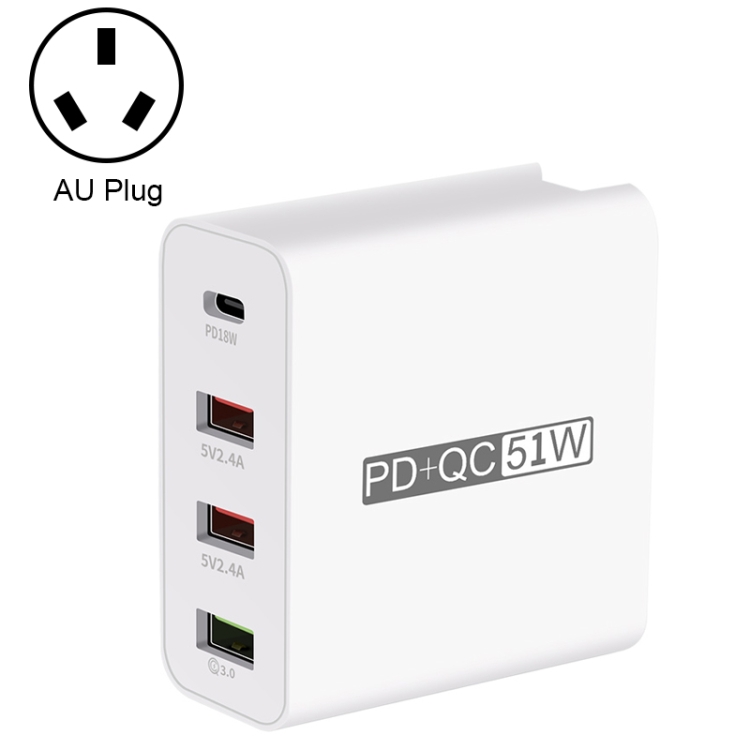
- Match charger to device: Using a charger with appropriate power output ensures optimal charging speed without stressing the battery.
- Avoid cable stress: Do not bend cables sharply or pull by the cord. Store cables loosely coiled to prevent internal wire damage.
- Keep connectors clean: Dust and debris in USB ports can cause poor connections. Clean ports regularly with compressed air.
- Use quality accessories: Cheap adapters and hubs can cause compatibility issues and even damage devices.
Future Developments
the USB space continues to evolve. USB4 Version 2.0 brings 80 Gbps speeds, while USB PD 3.1 extends power delivery to 240W. The industry is moving toward universal USB-C adoption, with regulations in the European Union mandating USB-C for all portable electronic devices by 2026.
Emerging technologies like optical USB cables promise even higher data rates over longer distances, while advancements in GaN charger technology enable smaller, more efficient power adapters. Understanding these trends helps users and professionals prepare for the next generation of USB technology.
For more expert guides on USB technology, explore our complete USB charger and cable collection or visit our support center for additional resources.