USB Overcurrent Protection: What Happens When You Draw Too

What Is USB Overcurrent?
USB overcurrent occurs when a connected device draws more electrical current than the USB port can safely provide. USB 2.0 ports provide 500mA; USB 3.0 ports provide 900mA. If a device attempts to draw more than these limits, overcurrent protection (OCP) kicks in to prevent damage to the port, the device, and the computer.
At USBToUSB, all our USB hubs, chargers, and adapters include overcurrent protection. Here’s what happens behind the scenes when too much power flows.
How USB Overcurrent Protection Works
USB overcurrent protection uses a combination of hardware and software to detect and respond to excessive current draw:
Hardware Level: Current Monitoring
Quality USB ports and hubs include current monitoring circuits that continuously measure the current flowing through each port. When current exceeds the safe threshold (typically 1.5× the rated maximum), the monitoring circuit triggers a protection response:
- Polyfuse (PTC) trip: A Positive Temperature Coefficient resistor heats up and increases resistance, reducing current flow. This is a self-resetting protection — when the overcurrent condition is removed and the polyfuse cools, normal operation resumes.
- MOSFET cutoff: A transistor physically disconnects the port’s power output. This is faster than a polyfuse but requires a manual or software reset to restore power.
- Current limiting IC: A dedicated integrated chip monitors current and voltage, providing precise protection with fast response time. This is the most advanced protection method, found in premium hubs and chargers.
Software Level: USB Controller Response
When hardware overcurrent protection triggers, the USB controller chip sends an interrupt to the computer’s operating system:
- Windows: Displays “Power surge on USB port” notification. The affected port is disabled until the overcurrent condition is resolved and the system is restarted or the device is replugged.
- macOS: Displays “USB device drawing too much power” message. The port is disabled similarly to Windows.
- Linux: Logs an overcurrent event in dmesg/syslog. Port behavior depends on the distribution and kernel configuration.
Common Causes of USB Overcurrent
1. Faulty or Damaged Cables
A damaged USB cable with exposed wires or internal short circuits can cause overcurrent. When the positive and ground wires touch (short circuit), current flows unrestricted, triggering OCP immediately. This is the most common cause of overcurrent events.
2. Faulty Devices
A device with an internal short circuit (due to water damage, component failure, or manufacturing defect) can draw excessive current. When you plug in a faulty device, OCP triggers within milliseconds.
3. Too Many Devices on a Bus-Powered Hub
Bus-powered USB hubs share the host port’s power among all connected devices. If the total current draw exceeds 500mA (USB 2.0) or 900mA (USB 3.0), OCP triggers. Example: connecting four external hard drives (each drawing 500mA) to a bus-powered hub requires 2000mA — far exceeding the 900mA budget.
4. External Hard Drive Spin-Up
Mechanical hard drives draw significantly more current during spin-up (500-800mA) than during normal operation (200-400mA). A hard drive that works fine once spinning may trigger OCP during the initial spin-up. This is why USB Y-cables exist — they draw power from two ports to handle spin-up current.
5. Counterfeit or Low-Quality Devices
Counterfeit USB devices may not include proper current-limiting circuits. A counterfeit phone charger or cheap USB accessory may draw excessive current, triggering OCP on the host port.
What to Do When Overcurrent Occurs
Step 1: Disconnect Immediately
Unplug the device that triggered the overcurrent. Do not attempt to reconnect it immediately.
Step 2: Inspect the Cable
Check for visible damage: frayed wires, bent connectors, melted plastic, or burn marks. If the cable is damaged, discard it — do not attempt to repair it with electrical tape.
Step 3: Test on Another Port
Try connecting the device to a different USB port. If OCP triggers on a different port, the device (not the port) is likely faulty. If OCP only triggers on one port, the port’s polyfuse may have degraded.
Step 4: Test with a Different Cable
If the device works with a different cable, the original cable was faulty. Replace it with a quality cable from USBToUSB.com.
Step 5: Reduce Device Count on Hubs
If using a bus-powered hub, reduce the number of connected devices. High-power devices (external HDDs) should connect directly to the computer, not through a bus-powered hub. Use a powered USB hub for high-power devices.
Step 6: Restart the Computer
On Windows, overcurrent events may permanently disable the affected port until the system is restarted. After removing the faulty device, restart to restore the port.
Preventing USB Overcurrent
Use Powered USB Hubs for High-Power Devices
Powered hubs (like our 50W 6-Port or 150W 8-Port stations) have their own power supply and don’t draw power from the host port. Each port can deliver full 500-900mA without sharing.
Use USB Y-Cables for External Hard Drives
Our USB Female to 2 USB Male Y-Cable draws power from two USB ports, providing 1000mA for external hard drives that need more than a single port can provide.
Check Device Power Requirements
Before connecting a device, check its power requirements (listed on the device or in its manual). Ensure the total power draw of all devices on a hub doesn’t exceed the hub’s capacity.
Buy Quality Cables and Devices
Quality cables include proper current-limiting resistors and fuses. Cheap counterfeit cables may not include these safety components. All cables and devices at USBToUSB.com include proper safety circuits.
Use Magnetic USB-C Adapters
Magnetic USB-C adapters (like our 100W Magnetic Elbow Adapter) disconnect under stress, preventing short circuits that can cause overcurrent. If a cable is yanked, the magnetic connection breaks safely instead of shorting the port.
Overcurrent Protection in Our Products
A-809 4-Port USB 3.0 Hub
Includes per-port current limiting. Each USB 3.0 port independently monitors current and triggers OCP if a device draws more than 900mA. The aluminum housing also acts as a heatsink, preventing thermal overcurrent.
Multi USB 2.0 Hub (6-Port)
Includes a master polyfuse that protects the entire hub. Individual ports share the 500mA budget, with the polyfuse preventing total draw from exceeding the safe limit.
150W 8-Port Charging Station
The most complete protection: individual port fuses, per-port OCP, total current monitoring, and temperature-based throttling. Each port can deliver full current independently, with redundant protection layers.
TE-PD65 GaN Charger
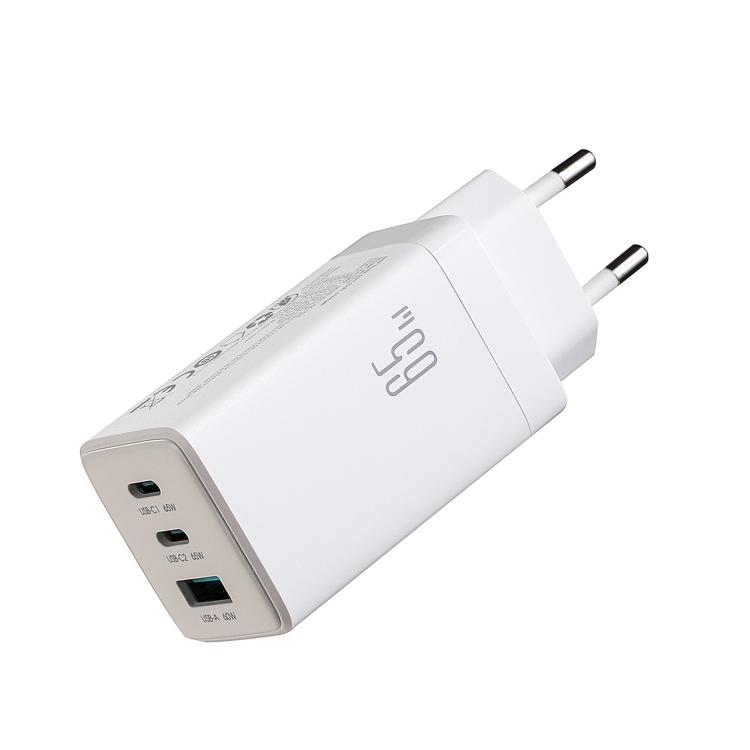
USB-C PD negotiation includes built-in current limiting. The charger only delivers the current negotiated during PD handshake — exceeding the negotiated limit triggers immediate cutoff.