USB-C to USB-A Adapters: Bridging Old and New Technology

The USB-C Transition Problem
The tech world is in transition. New devices come with USB-C ports — laptops, phones, tablets, headphones. But most of us have years of USB-A accessories: keyboards, mice, flash drives, printers, external drives. Throwing away working USB-A devices to buy USB-C replacements is wasteful and expensive. USB-C to USB-A adapters bridge this gap.
At USBToUSB, we carry the USB-C/Type-C Female to Male Converter Adapter. Here’s what actually matters about bridging old and new USB technology.
Types of USB-C to USB-A Adapters
USB-C Female to USB-A Male
This adapter plugs into a USB-A port and provides a USB-C female receptacle. It lets you connect a USB-C device (like a USB-C flash drive) to a computer that only has USB-A ports. Our USB-C/Type-C Female to Male Converter Adapter is this type.
USB-A Female to USB-C Male
This adapter plugs into a USB-C port and provides a USB-A female receptacle. It lets you connect a USB-A device (like a keyboard or mouse) to a computer that only has USB-C ports. This is the more commonly needed adapter in 2026.
USB-C to USB-A Cable
Rather than a small adapter, this is a cable with USB-C on one end and USB-A on the other. Longer cables offer more flexibility in device placement.
What Works Through USB-C to USB-A Adapters
USB 2.0 Data (480 Mbps)
Most USB-C to USB-A adapters support USB 2.0 data speeds. This handles keyboards, mice, printers, Bluetooth adapters, and most peripherals perfectly. Even USB-C flash drives work — but limited to USB 2.0 speeds (480 Mbps).
Power Delivery (Up to 15W)
USB-A ports can deliver up to 5V/3A (15W) through an adapter. This is enough to charge phones and tablets at standard speeds. However, fast charging protocols like USB PD require native USB-C connections — they don’t work through USB-A adapters.
Audio (USB Audio Class)
USB-C audio devices (like USB-C headphones) can work through USB-C to USB-A adapters, as long as the adapter supports the analog audio pass-through. Digital USB audio works through any USB connection.
What DOESN’T Work Through Adapters
USB Power Delivery (PD) Fast Charging
USB PD negotiation requires the USB-C CC (Configuration Channel) pin, which doesn’t exist on USB-A. If your phone supports USB PD fast charging (like iPhone 15/16 series), connecting through a USB-A adapter limits charging to standard 5V/2.4A (12W) — not the 20W+ PD fast charging speeds.
USB 3.1+ Speeds (10+ Gbps)
USB-A connectors physically have fewer pins than USB-C. While USB 3.0 USB-A connectors exist (9 pins), USB-C to USB-A adapters typically only connect the USB 2.0 pins (4 pins). This limits data transfer to 480 Mbps regardless of the USB-C device’s capabilities.
DisplayPort / HDMI Alt Mode
USB-C Alt Mode repurposes USB-C pins for video output. This requires native USB-C on both ends — it cannot work through USB-A adapters. If you need to connect a monitor via USB-C, you need a native USB-C port.
Thunderbolt 3/4
Thunderbolt requires the USB-C connector’s high-speed differential pairs, which USB-A doesn’t have. Thunderbolt devices won’t work through USB-A adapters at all.
Common Use Cases
Connecting a USB-A Keyboard to a USB-C Laptop
MacBook and modern Windows laptops often have only USB-C ports. A USB-A female to USB-C male adapter lets you connect an existing USB-A keyboard without buying a new one. Our USB-C/Type-C Female to Male Converter handles the reverse: connecting a USB-C device to a USB-A port.
Connecting a USB-C Flash Drive to an Older PC
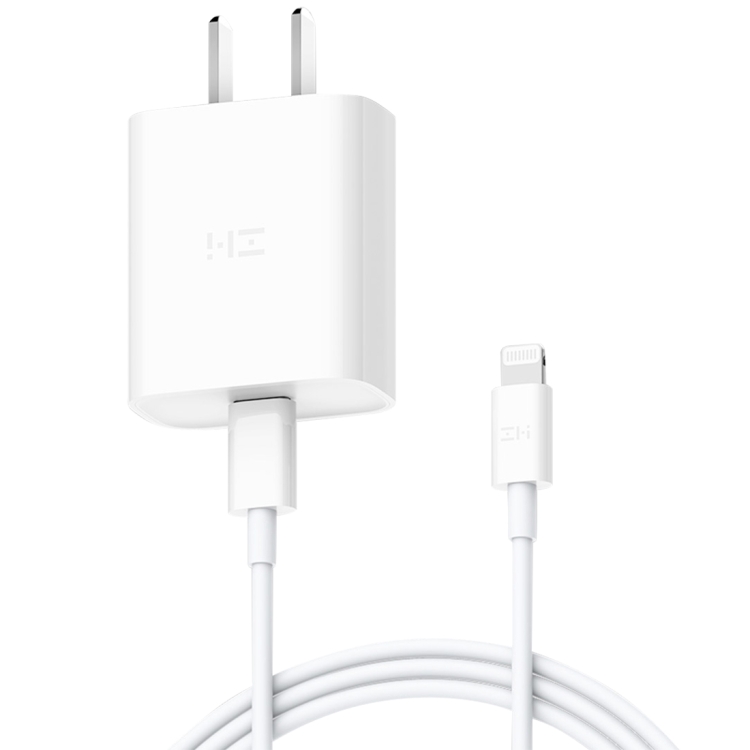
Many new flash drives are USB-C only. To use them with a PC that only has USB-A ports, use our USB-C Female to USB-A Male adapter. Data transfer works at USB 2.0 speeds (480 Mbps).
Charging an Older Device from a USB-C Charger
If your laptop has USB-C PD charging ports and you need to charge an older device with a USB-A charging cable, an adapter bridges the connection. Charging will at standard USB-A rates (5V/2.4A = 12W), not PD fast charging.
Magnetic USB-C Adapters: The Upgrade
For an additional layer of convenience and protection, consider a magnetic USB-C adapter like our 100W USB-C Female to 20 Pin Magnetic USB-C Male Elbow Adapter. Magnetic adapters break away if the cable is yanked, preventing damage to both the cable and the port. The 90-degree elbow design also redirects the cable parallel to the device, saving space.
Choosing the Right Adapter
When selecting a USB-C to USB-A adapter, consider:
- Direction: USB-C female to USB-A male (for USB-C devices in USB-A ports) or USB-A female to USB-C male (for USB-A devices in USB-C ports)
- USB version: Most adapters are USB 2.0; USB 3.0 adapters exist but are bulkier and more expensive
- Build quality: Look for metal housing for durability and aluminum connectors for better fit
- Portability: Small dongle-style adapters fit in any pocket; cable-style adapters offer more reach