USB-C Female to Male Adapters: When and How to Use Them

The Gender Adapter Problem
Sometimes you have a USB-C cable that ends in a male connector, and you need it to connect to a USB-C port on your device — but the cable’s connector is also male. Or you have a USB-C dongle that needs to plug into a USB-C cable rather than a port. These “gender mismatch” situations are where USB-C female to male adapters come in.
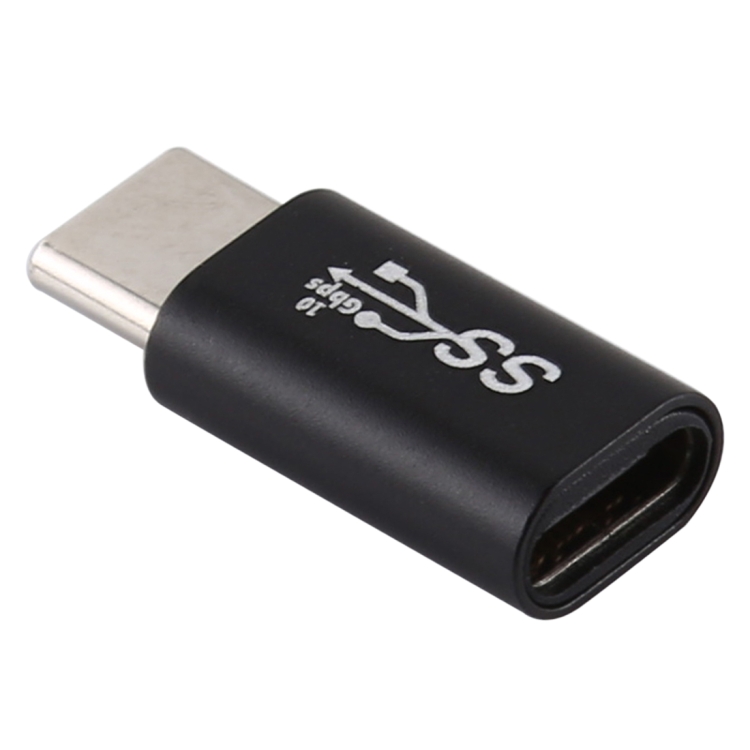
We carry the USB-C/Type-C Female to Male Converter Adapter. Here’s a complete guide to when and how to use these adapters.
Understanding USB-C Connector Gender
USB-C uses the same connector shape on both ends of a cable — but the ports and plugs have gender:
- Male (plug): The connector that inserts into a port. Found on both ends of a standard USB-C cable.
- Female (receptacle): The port that accepts a plug. Found on devices, hubs, and adapters.
A USB-C female to male adapter has a female receptacle on one end and a male plug on the other. It essentially extends a USB-C connection by adding a female port where there was a male plug.
Common Use Cases
1. Extending a USB-C Cable
If your USB-C cable is too short and you don’t have a longer cable, a female-to-male adapter lets you connect two USB-C cables together. Plug one cable’s male end into the adapter’s female end, and the adapter’s male end into your device. This effectively creates a longer cable.
2. Connecting a USB-C Dongle to a USB-C Cable
Some USB-C accessories (like certain card readers or Ethernet adapters) have a male USB-C connector. If your laptop’s USB-C ports are all occupied, you can use a female-to-male adapter to connect the dongle to the end of a USB-C cable, effectively creating an extension.
3. Port Access in Tight Spaces
If your laptop’s USB-C port is recessed or in a tight space (like behind a case or stand), a male USB-C dongle might not fit. The female-to-male adapter provides a female port that’s accessible, and the male end reaches into the recessed port.
4. Testing and Development
In electronics testing and development, female-to-male adapters used to connect USB-C test equipment to USB-C devices under test. The adapter provides a convenient connection point for multimeters and oscilloscopes.
Data and Power Capabilities
Our USB-C Female to Male Converter supports:
- USB 2.0 data: 480 Mbps data transfer
- Power delivery: Up to 100W (20V/5A) when used with compatible cables
- Plug and play: No drivers or configuration needed
Important Limitation
This adapter supports USB 2.0 data speeds (480 Mbps). It does not support USB 3.0 (5 Gbps) or USB 3.1 (10 Gbps) data transfer. For high-speed data applications, use a dedicated USB-C extension cable rated for the required speed.
Similarly, while the adapter can pass through USB-C PD power, it does not support Thunderbolt 3/4 or USB-C Alt Mode (DisplayPort/HDMI). Use a direct connection for video output.
USB-C Female to Male vs USB-C Extension Cable
| Feature | Female-to-Male Adapter | USB-C Extension Cable |
|---|---|---|
| Length | ~2cm | 1-3m |
| USB version | USB 2.0 | USB 2.0 or 3.0 |
| PD support | Yes (up to 100W) | Yes (varies by cable) |
| Data speed | 480 Mbps | Up to 10 Gbps (USB 3.1) |
| Video support | No | Yes (if cable supports Alt Mode) |
| Cost | $3-$8 | $8-$25 |
For extending a cable by a few centimeters or providing a female port, the adapter is cheaper and more compact. For extending by more than a few centimeters, a dedicated extension cable is necessary.
Combining with Other Adapters
The USB-C female to male adapter can be combined with other USB-C adapters for greater versatility:
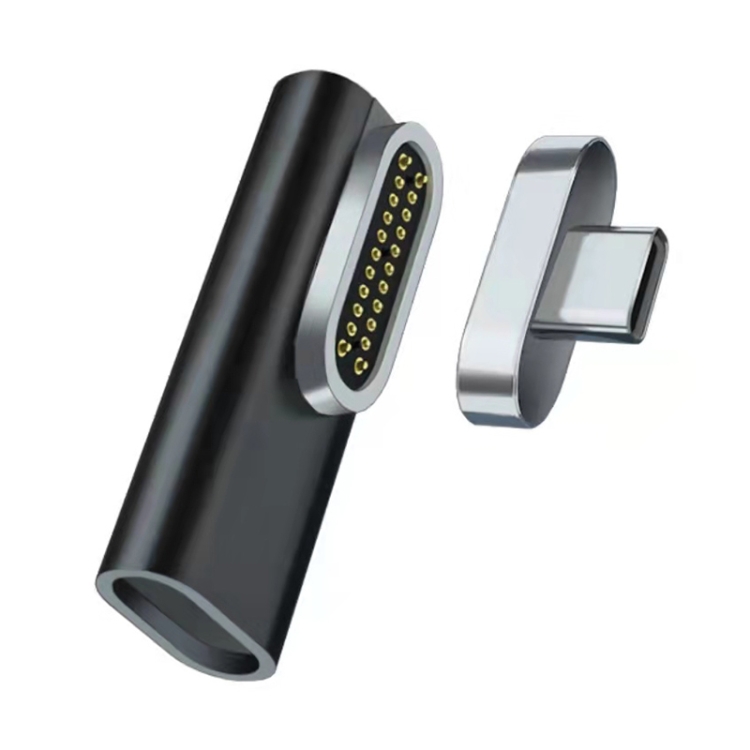
- + Magnetic adapter: Add magnetic breakaway to a USB-C cable that didn’t have one
- + Right angle adapter: Change the cable direction and add a female port
- + USB-A to USB-C adapter: Connect a USB-C cable to a USB-A port (through the female port)
Common Issues
Intermittent Connection
If the adapter doesn’t fit snugly, it may cause intermittent connections. Quality adapters have tight tolerances and a positive click when inserted. If your adapter wiggles, it may be a low-quality product.
Charging Speed Reduction
Each adapter in the chain adds resistance, which can reduce charging speed. For full 100W charging, minimize the number of adapters between the charger and your device. One adapter is fine; chaining three adapters may reduce power delivery.
Data Speed Reduction
As noted, our adapter supports USB 2.0 data. If your device requires USB 3.0+ speeds, the adapter will bottleneck the connection to 480 Mbps. Check your device’s data requirements before using the adapter for data transfer.
Best Practices
- Use for charging: The adapter works best for extending charging cables, where data speed doesn’t matter
- Minimize adapter chains: Each additional adapter adds resistance and potential failure points
- Check fit regularly: Ensure the adapter is fully seated in both the cable and the port
- Remove when not in use: Don’t leave the adapter in your device permanently — it adds wear to the port
- Keep clean: Dust on the adapter’s contacts can cause poor connections. Clean with compressed air if needed