USB-C Extension Cables: How to Extend Your Cable Without

The USB Extension Problem
USB cables have strict length limits. USB 2.0 tops out at 5 meters, USB 3.0 at 3 meters, and USB 3.1 at 1 meter — all before signal degradation kicks in. But what if your device is 6 meters away? Or 10 meters? That’s where USB extension cables come in, and choosing the wrong type can mean dropped connections, slow speeds, or complete failure.
We carry USB 2.0 extension cables in 1.5m and 3m lengths. Here’s how to extend your USB setup without losing performance.
Types of USB Extension Solutions
Passive Extension Cables
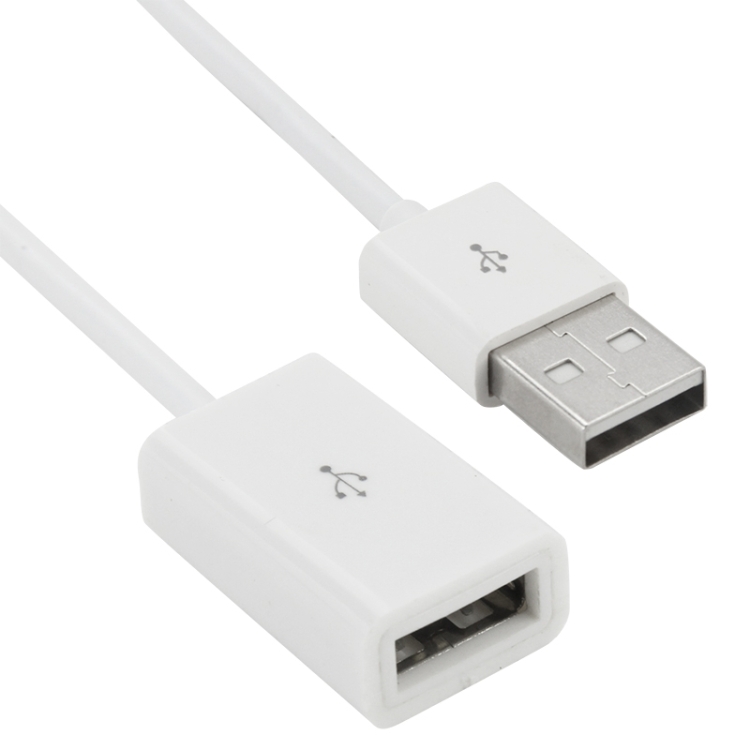
Simple plug-and-play cables with a USB-A male end and a USB-A female end. Our USB 2.0 AM to AM Extension Cable (1.5m and 3m) is a passive cable. These work reliably within the USB specification’s length limits:
- USB 2.0: Up to 5m total (including the device’s own cable)
- USB 3.0: Up to 3m total
Passive cables are cheap, simple, and reliable — as long as you stay within length limits.
Active Extension Cables (With Built-in Repeater)
Active cables contain a signal amplifier chip that regenerates the USB signal, allowing runs of 10-20m. These cost more than passive cables but are the only option for long distances. The chip needs power, which it draws from the USB bus — no external power supply needed for distances up to 15m.
USB Over Ethernet Extenders
For distances beyond 20m, USB-over-Cat5/Cat6 extenders use network cable to transmit USB signals. A transmitter connects to your computer, a receiver connects to your device, and Cat5/6 cable runs between them. This setup can extend USB up to 50m.
Speed Degradation: What to Expect
Extension cables introduce signal loss proportional to their length. Here’s what to expect with passive extensions:
- 0-3m extension: No measurable speed loss for USB 2.0 or 3.0
- 3-5m extension: USB 2.0 still at full speed; USB 3.0 may drop to 2.5-3 Gbps
- 5m+ extension: USB 2.0 approaches maximum reliable length; USB 3.0 requires active cable
Our USB 2.0 AM to AM Extension Cable at 1.5m adds negligible signal loss — you’ll see the full 480 Mbps. The 3m version is still well within the 5m limit, making it ideal for extending a printer or keyboard cable across a desk.
Common Use Cases for USB Extensions
Extending a Keyboard or Mouse
For a living room PC connected to a TV, keyboard and mouse cables often need to reach 3-5m. A USB 2.0 extension cable in 1.5m or 3m is perfect — keyboards and mice use very little bandwidth, so USB 2.0 is more than sufficient.
Extending a Printer Cable
Printers are often placed away from the computer. A 3m USB 2.0 extension cable lets you position the printer across the room. Printers don’t need USB 3.0 speeds — USB 2.0 handles print data easily.
Extending a USB Flash Drive
For convenient access, a short 1.5m extension brings the USB port to your desk surface rather than reaching behind the computer. Use USB 3.0 extension for faster flash drives.
Extending a Webcam
Webcams typically come with 1.5m cables. For a wall-mounted webcam or a living room setup, a 3m USB 2.0 extension provides enough reach. Webcams stream compressed video, so USB 2.0 bandwidth is sufficient for 1080p.
Daisy-Chaining Extension Cables
You can connect extension cables end-to-end (daisy-chain), but with caveats:
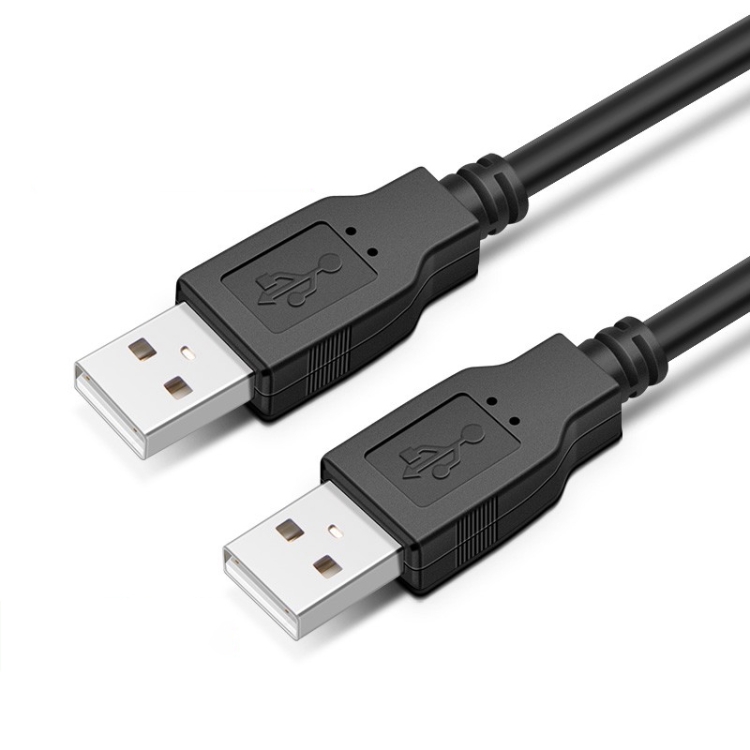
- USB 2.0: Up to 5m total before signal loss (so two 3m cables = 6m, which may cause issues)
- USB 3.0: Up to 3m total — daisy-chaining two 1.5m USB 3.0 extensions works, but two 3m cables will fail
- Reliability: Each connection adds resistance and signal reflection; more connections = less reliable
For runs over 5m, use a single active extension cable rather than daisy-chaining multiple passive cables.
USB-C Extension Challenges
USB-C extension is trickier than USB-A extension because USB-C carries more signals (power, data, display, audio). USB-C extension cables must maintain all signal paths, which means they’re harder to manufacture and more expensive. For USB-C devices that need extending:
- USB-C data only: Standard USB-C extension up to 2m
- USB-C with display: Active USB-C extension up to 5m
- USB-C with PD: Check that the extension cable supports your required wattage
Choosing the Right Extension Cable
- USB 2.0 AM to AM Extension (1.5m): Keyboard, mouse, printer, Bluetooth adapter
- USB 2.0 AM to AM Extension (3m): Living room PC, wall-mounted webcam, across-desk printer
- USB 3.0 Extension (1m): External HDD, USB flash drive
- Active Extension (10m+): Conference room webcam, industrial equipment