USB 3.0 Male to Male Cables: What You Need to Know Before Buying

What Is a USB Male-to-Male Cable?
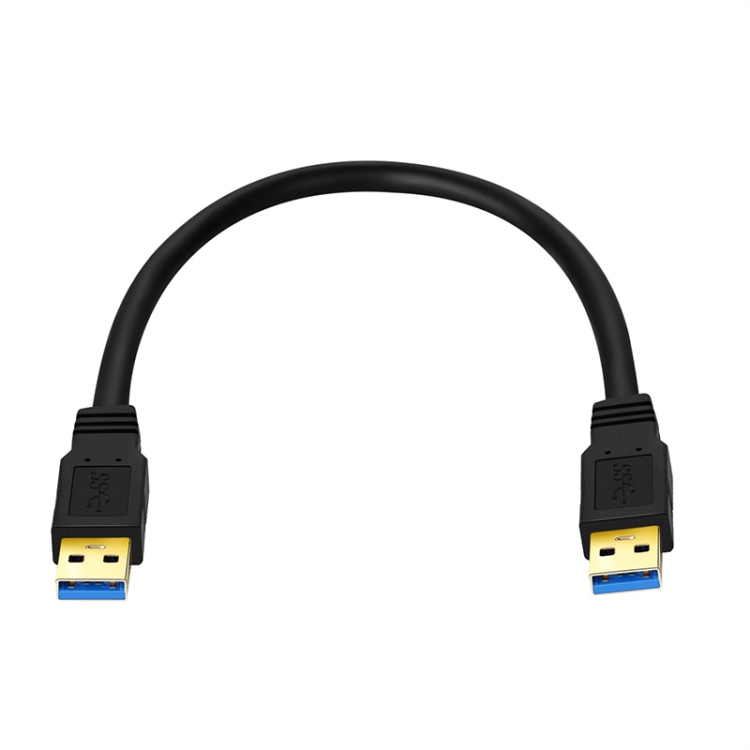
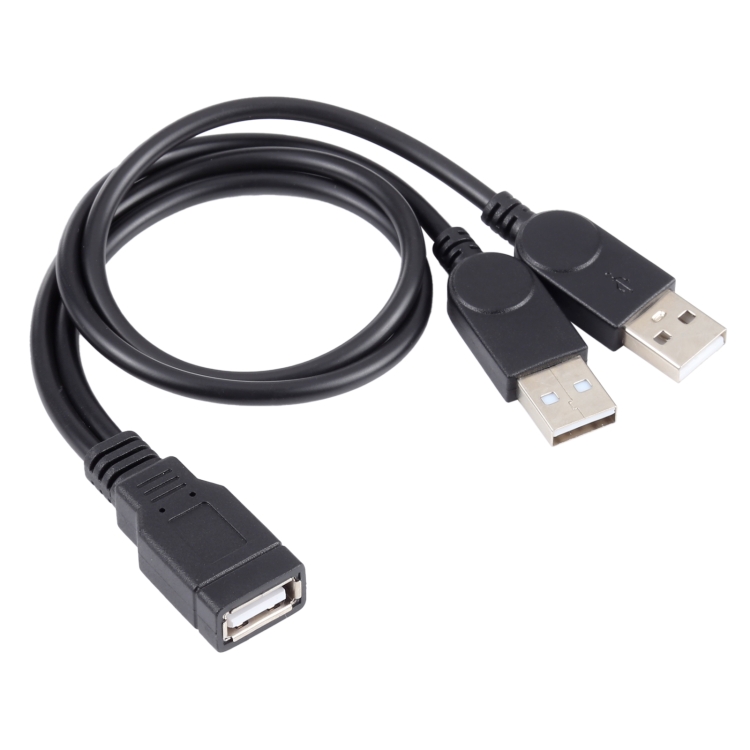
A USB male-to-male cable has USB-A connectors on both ends — two plugs, no receptacles. This isn’t a standard USB cable; in fact, the USB specification officially prohibits male-to-male USB-A cables because connecting two USB hosts (like two computers) directly can cause power backfeed and hardware damage.
So why do we sell them? Because there are legitimate, specific use cases where USB male-to-male cables are required. At USBToUSB, we carry the USB 3.0 Male to Male Double End USB Cable in 0.3m, 0.6m, and 1m lengths. Here’s what you need to know.
Legitimate Uses for Male-to-Male USB Cables
1. USB Data Transfer Between Devices
Some older devices — particularly external hard drive enclosures, older laptops, and specialized industrial equipment — use male-to-male USB for data transfer. These devices have internal circuitry that prevents power backfeed. The USB 3.0 Male to Male cable enables 5 Gbps data transfer between compatible devices.
2. Custom Electronics and Arduino Projects
DIY electronics projects often require male-to-male USB cables for connecting custom boards, sensors, or development platforms. The cable provides a data path between the custom device and a host computer.
3. USB-Powered LED Strips and Accessories
Some USB-powered accessories, like LED strips or small fans, use a male-to-male USB cable to connect between a USB power source and the device. In these cases, only power (not data) is transmitted, eliminating the backfeed risk.
4. KVM Switches and Peripheral Sharing
Some KVM (Keyboard-Video-Mouse) switches use male-to-male USB cables to connect between the switch and computers. These cables carry USB data through intermediary hardware that manages the connection.
Why You Should NOT Use Male-to-Male Cables
Connecting two computers: Never directly connect two PCs with a male-to-male cable. The USB specification doesn’t support host-to-host connections without intermediary hardware. Both computers will try to supply 5V power on the same wire, potentially damaging USB ports or motherboards.
Connecting a phone to a PC: Phones connect to PCs using a standard USB-A to USB-C (or USB-A to Micro-USB) cable, not a male-to-male cable.
Charging: Male-to-male cables are not designed for charging. If you need to connect a charger to a device, use the appropriate cable type for your device’s connector.
USB 3.0 vs USB 2.0 Male-to-Male Cables
Our USB 3.0 Male to Male cable supports USB 3.0’s 5 Gbps data rate, which is 10x faster than USB 2.0’s 480 Mbps. The cable has 9 pins (4 USB 2.0 + 5 SuperSpeed) on each connector, compared to USB 2.0’s 4 pins.
USB 3.0 male-to-male cables are visibly different from USB 2.0 versions:
- Blue connectors: USB 3.0 connectors are typically blue
- Thicker cable: USB 3.0 requires additional shielding for high-speed signals
- 9-pin layout: USB 3.0 connectors have 9 contact pins inside
Available Lengths and Their Applications
0.3m (1 foot)
Shortest length, ideal for connecting devices that sit next to each other. Perfect for USB-powered accessories where you want minimal cable visible.
0.6m (2 feet)
Medium length, versatile for most desktop applications. Connects devices within arm’s reach on the same desk.
1m (3.3 feet)
Longest standard length, suitable for connecting devices on different parts of a desk or nearby shelves.
How to Safely Use Male-to-Male USB Cables
- Verify device compatibility: Ensure both devices designed to accept male-to-male connections
- Check for power isolation: At least one device should have circuitry to prevent power backfeed
- Never force a connection: If the cable doesn’t fit easily, you might be trying to connect incompatible port types
- Disconnect when not in use: Remove the cable when data transfer is complete
- Avoid using as a charging cable: These cables are designed for data, not power delivery
Alternatives to Male-to-Male Cables
If you need to transfer data between two computers, use one of these safe alternatives:
- USB transfer cable: Contains a bridge chip that manages the host-to-host connection safely
- External USB drive: Copy to the drive from one computer, then connect to the other
- Network transfer: Use Ethernet or Wi-Fi to transfer files between computers
- USB-C with Thunderbolt: Some Thunderbolt 4/USB4 setups support direct computer-to-computer connections