Best USB Extension Cables for Home Office Setup in 2026

Every Home Office Needs Extension Cables
The ideal home office has everything within arm’s reach. Reality is different: your printer is across the room, your webcam needs to reach the top of your monitor, and your desk is too far from the floor-level USB ports on your PC. USB extension cables are the unsung heroes of a productive home office setup.
At USBToUSB, we carry USB 2.0 extension cables in 1.5m and 3m lengths, plus a range of adapters and hubs. Here’s how to build the perfect USB extension setup for your home office.
Assessing Your Home Office USB Needs
Before buying extension cables, audit your workspace:
- Printer distance: How far is the printer from your computer?
- Webcam placement: Where does the webcam mount, and how long is its cable?
- Keyboard and mouse: Are you using a desktop tower under the desk?
- External drives: Do you have an external HDD/SSD that needs to reach your desk?
- Phone charging: Is there a convenient USB port for phone charging at desk level?
Most home office setups need 2-4 USB extension cables of varying lengths.
Choosing the Right Extension Cable Length
1.5m (5 feet) Extension
The 1.5m USB 2.0 AM to AM Extension Cable is the most versatile length. It reaches:
- From a floor-level PC to desktop surface
- From a monitor USB port to a webcam on top of the monitor
- From a laptop to a nearby printer stand
- From a desktop USB hub to the front edge of the desk
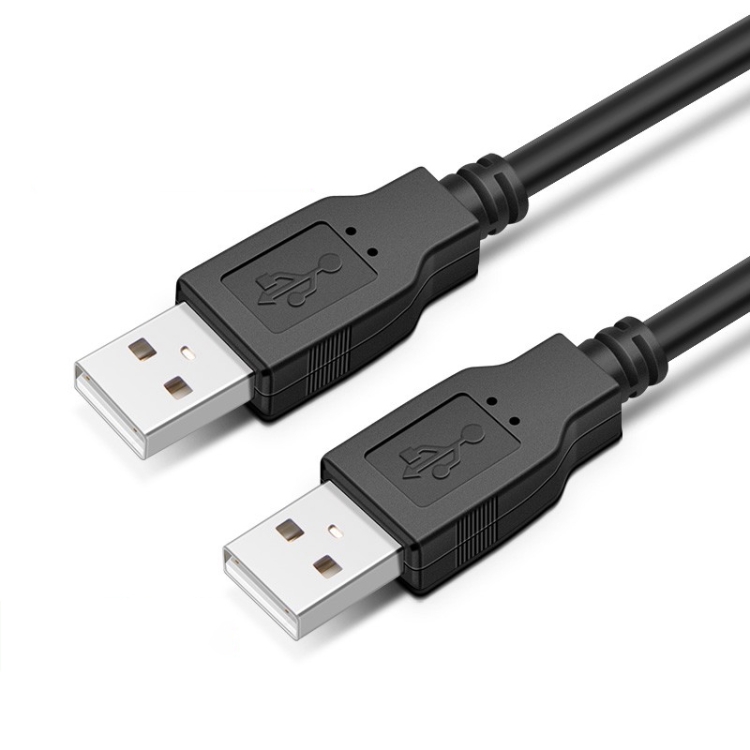
1.5m is long enough for most desk-to-desk extensions without excess cable to manage.
3m (10 feet) Extension
The 3m USB 2.0 AM to AM Extension Cable handles longer runs:
- From a PC under the desk to a printer on a shelf across the room
- From a desktop to a living room TV for media streaming
- From a server in a closet to a desk across the room
- From a desktop to a wall-mounted webcam for conference calls
3m stays within the USB 2.0 specification’s 5m maximum length, even when combined with the device’s own cable.
Combining Extensions: Maximum Length Rules
USB 2.0’s maximum cable length is 5 meters. This includes the device’s own cable plus any extensions:
- 3m extension + 2m device cable = 5m total: Maximum safe length for USB 2.0
- 3m extension + 3m device cable = 6m total: May cause signal issues
- Two 3m extensions = 6m total: Not recommended; use an active extension instead
For runs over 5m, use an active USB extension cable with a built-in signal repeater.
USB 2.0 vs USB 3.0 Extensions: Which Do You Need?
USB 2.0 (480 Mbps) Is Sufficient For:
- Keyboards and mice (they use minimal bandwidth)
- Printers (print data is small and slow)
- Webcams streaming 720p or 1080p (compressed video fits in 480 Mbps)
- Bluetooth adapters (minimal bandwidth)
- USB audio interfaces (most use USB 2.0)
USB 3.0 (5 Gbps) Is Required For:
- External hard drives and SSDs (need high bandwidth)
- 4K webcams (uncompressed 4K requires USB 3.0)
- Video capture devices (game capture, HDMI capture)
- Docking stations and USB-C hubs with display output
- USB flash drives for fast file transfers
Our USB 2.0 extension cables are perfect for the first category. For USB 3.0 devices, look for USB 3.0 extension cables (identifiable by blue connectors and 9-pin layout).
Building a Complete Home Office USB Setup
For a Desktop PC Tower Setup
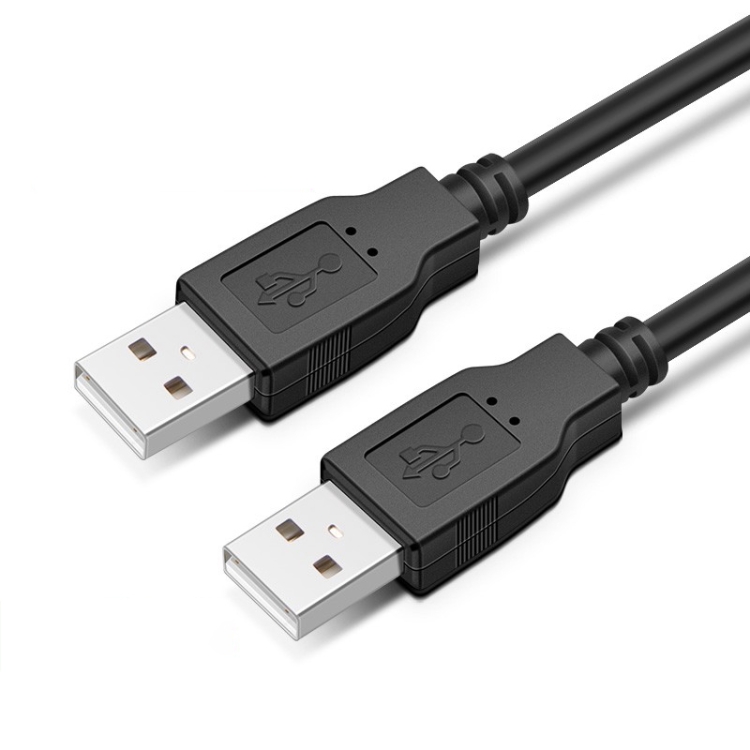
- 1.5m USB 2.0 extension from the PC’s front panel to desk surface for easy access
- 3m USB 2.0 extension from PC to printer across the room
- USB hub (like the A-809 4-port) at desk level for connecting peripherals
- Right angle adapter at the webcam to prevent cable stress
For a Laptop Setup
- USB-C hub (like the BYL-2217TU 7-in-1) for expanding laptop ports
- 0.3m USB cable from hub to desk-mounted peripherals
- 1.5m USB extension if the printer is across the room
- Coiled USB cable for phone charging at desk level
For a Standing Desk Setup
- Extra-long USB 3.0 cable (2m+) from floor-level PC to desk surface (standing desks move up and down, so cables need slack)
- Cable management tray under the desk to route extensions
- USB hub mounted under the desk for clean cable routing
Cable Management Tips for Extension Cables
- Use cable clips: Adhesive clips along desk legs keep cables tidy
- Label cables: Use cable labels to identify which extension goes to which device
- Use cable sleeves: Bundle multiple extensions into a single sleeve for a clean look
- Avoid tight bends: USB cables should bend with a minimum radius of 5x the cable diameter
- Keep away from power cables: Run USB extensions at least 10cm from AC power cables to avoid interference