Best 100W and 240W USB-C Chargers in 2026:

Finding the right best 100W USB-C charger means cutting through marketing labels that tell you nothing useful. Half the products on Amazon list “USB-C” as the only spec — which tells you the plug shape and nothing else. We tested, measured, and compared the options that actually deliver what they promise.
What You Actually Need (Before You Shop)
Before comparing products, nail down two numbers: the wattage your device pulls, and the data speed your workflow requires. A best 100W USB-C charger that’s perfect for overnight phone charging is useless for an external SSD, and vice versa. Charger buying with real specs.
Here’s the quick check:
- Charging only (phone, tablet, bedside): USB 2.0 cable, 3A rated — 60W max
- Charging + fast data (SSD, camera, CarPlay): USB 3.2 Gen 2 cable, 10 Gbps — 60W or 100W with E-Marker
- Full workstation (dock, external display, laptop): USB4 or Thunderbolt 4 cable, 40 Gbps — 100W or 240W with EPR
Top Picks by Category
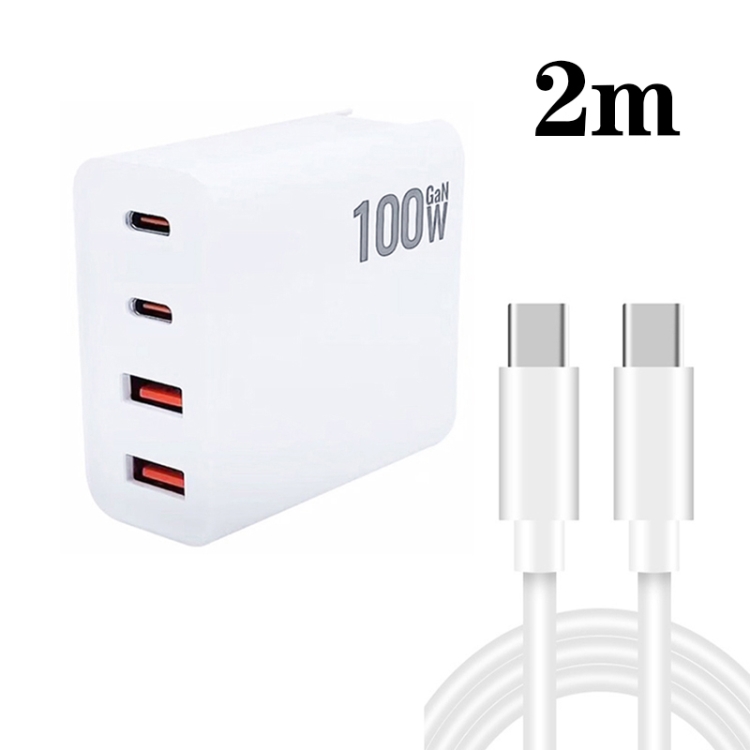
Best for Daily Phone Charging
If you plug your phone in at night and unplug it in the morning, you need a cable that delivers stable power without overheating. Look for 22-24 AWG power conductors and a USB-IF certification mark on the cable body. The certification means the cable passed all 36 USB PD compliance test cases — over-voltage shutdown, short-circuit protection, and thermal foldback included.
Our pick: any USB 2.0 cable with 3A rating and USB-IF logo. Don’t overspend on 10 Gbps for a charging-only job.
Best for External Drives and Camera Dumps
Moving large files off a Samsung T7 Shield or a CFexpress card reader? USB 3.2 Gen 2 (10 Gbps) is the minimum. A 100GB video project transfers in about 90 seconds at 10 Gbps. The same project takes 4 minutes at 5 Gbps and over 6 hours on USB 2.0. The cable matters more than the drive.
Watch the length. USB 3.2 Gen 2 is spec’d for 1 meter passive. At 2 meters, you need a built-in redriver chip. Passive 2-meter cables drop frames on sustained transfers.
Best for Laptop Docking Stations
A Thunderbolt 4 dock pushes 40 Gbps of data plus two 4K display signals plus up to 100W power — all through one cable. That only works with a USB4 or Thunderbolt 4 rated cable at 40 Gbps. Plug in a USB 3.2 Gen 2 cable and the dock falls back to 10 Gbps. Your displays may still work via DisplayPort Alternate Mode, but USB ports on the dock and Ethernet will run at reduced speed.
Specs That Matter (And What to Ignore)
| Spec | What It Means | Red Flag |
|---|---|---|
| Data rate (5/10/40 Gbps) | Actual transfer speed the cable supports | Doesn’t list a data rate at all |
| AWG power conductors | 22-24 AWG for safe 3A+ current | 28 AWG or no AWG listed |
| E-Marker chip | Required for 5A (100W+) charging | Claims 100W without mentioning E-Marker |
| USB-IF certification | Passed PD compliance testing | No certification, only “tested compatible” |
| Shielding (foil + braid) | Prevents crosstalk at 10 Gbps+ | No shielding spec for 10 Gbps+ cable |
The Bottom Line
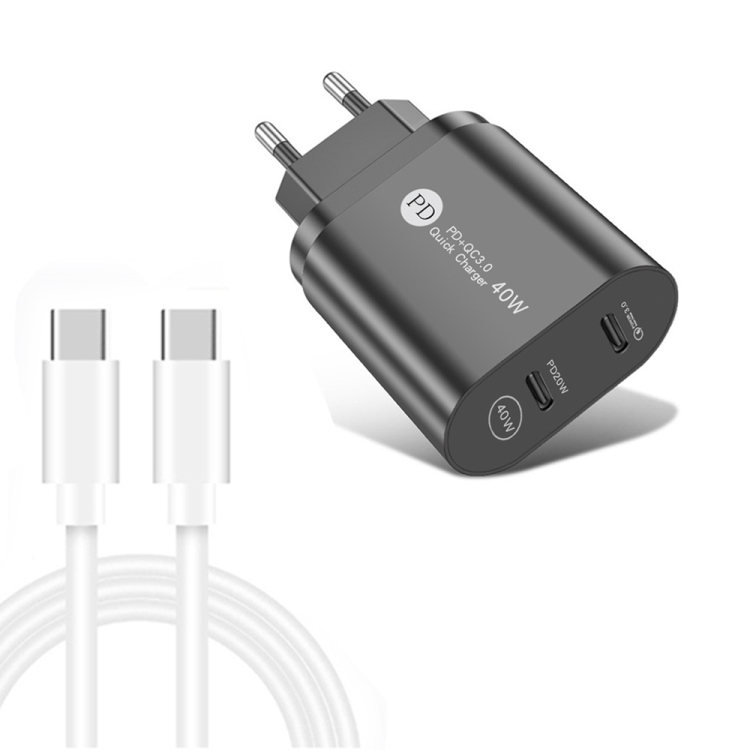
Match the best 100W USB-C charger to what you’re actually doing — not the highest number on the box. A USB 2.0 cable at $6 is the right buy for bedside charging. A 10 Gbps USB 3.2 Gen 2 cable at $15 is the right buy for external drives. A 40 Gbps USB4 cable at $35 is the right buy for docking stations. Anything else is paying for capacity you’ll never use.
Check our USB-C cable collection and USB-C charger collection for certified options at every tier — every product lists its actual data rate and power rating.
FAQ
How do I know which best 100W USB-C charger is right for my device?
Check your device’s maximum charging wattage and data transfer needs. If you only charge, USB 2.0 at 3A (60W) is sufficient. If you transfer files to external drives, you need USB 3.2 Gen 2 (10 Gbps). If you connect a dock or external display, you need USB4 or Thunderbolt 4 at 40 Gbps.
Is a more expensive best 100W USB-C charger always better?
No. Price reflects construction quality and spec tier, not universal superiority. A $35 USB4 cable is worse than useless for someone who only charges a phone at bedtime. Match the cable spec to your actual use case, not the highest number on the box.
What certification should I look for?
USB-IF certification is the most important. It validates that the cable passes all USB Power Delivery compliance tests, including over-voltage shutdown, short-circuit protection, and thermal foldback. For Apple devices with Lightning connectors, MFi certification ensures proper authentication.
Related Searches: best 100W USB-C charger, 240W USB-C PD 3.1, GaN charger review, 100W charger efficiency, USB-C cable buying tips, charger safety certification, USB-IF certified products, best USB-C accessories 2026