7-in-1 USB-C Hubs: The Perfect Balance of Ports and Portability

Why 7 Ports Is the Sweet Spot
USB-C hubs come in all sizes — from 3-port compact dongles to 12-in-1 desktop docks. After years of testing, we’ve found that 7 ports is the sweet spot for most users: enough ports to cover daily needs, small enough to carry in a laptop bag, and affordable enough to offer genuine value.
At USBToUSB, the BYL-2217TU 7-in-1 USB-C Hub exemplifies this balance. Here’s why a 7-port hub deserves a permanent spot in your laptop bag.
The 7-Port Hub Essentials
A well-designed 7-in-1 hub should include:
- USB 3.0 port: For high-speed data transfer (5 Gbps)
- USB 2.0 port: For keyboard/mouse (avoids interference with USB 3.0)
- Type-C port: For charging or USB-C peripherals
- HDMI port: For external monitor (4K support)
- SD card reader: For photographers
- MicroSD card reader: For phone/drone storage
- PD pass-through: For charging laptop while using hub
The BYL-2217TU includes USB 3.0, USB 2.0, and Type-C ports, providing the essential connectivity most users need without the bulk of a 12-in-1 dock.
BYL-2217TU vs BYL-2218TU: Which to Choose?
BYL-2217TU 7-in-1
Features 7-in-1 USB 3.0 and Type-C to USB expansion. Focused on USB connectivity without video output. Best for users who need multiple USB ports for peripherals, storage, and charging — but don’t need external monitor support.
BYL-2218TU 8-in-1
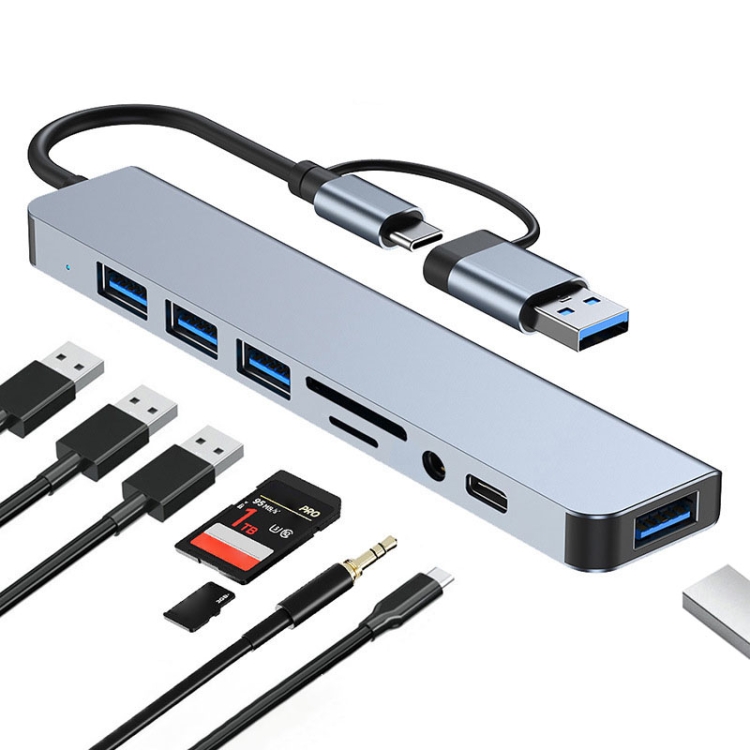
Adds one more port for even more expansion. Includes USB-C connectivity in addition to standard USB ports. Best for users with more USB peripherals and USB-C devices.
Use Cases for 7-in-1 Hubs
The Remote Worker
Connect to a home setup with external keyboard, mouse, webcam, printer, USB headset, and phone charging cable — all through one hub. The 7-port hub provides enough ports for all peripherals without needing a separate USB charger.
The Photographer
SD card reader for importing photos, USB 3.0 for external backup drive, Type-C port for connecting to a second display. The 7-in-1 hub consolidates a photographer’s entire workflow into one compact device.
The Student
Carry a 7-in-1 hub between classes. Connect a USB keyboard for typing essays, a flash drive for file transfer, and charge your laptop — all from a single hub that fits in a pencil case.
The Presenter
HDMI for projector connection, USB for presentation clicker, USB-C for laptop charging. The 7-in-1 hub is the ultimate presentation tool for road warriors and sales professionals.
Portability: The Key Advantage
At approximately 10cm × 4cm × 1.5cm and weighing around 60g, a 7-in-1 hub is barely noticeable in a laptop bag. Compare this to a 12-in-1 hub (which can be 15cm × 7cm × 2.5cm and 150g), and the portability advantage is clear.
For most users, the 7-in-1 hub’s port selection covers 90% of daily needs in a form factor that’s genuinely portable. The 12-in-1 hub is powerful but too large for daily carry — it’s better suited as a desktop dock that stays in one place.
USB 3.0 vs USB 2.0 Ports: Why Both Matter
The BYL-2217TU includes both USB 3.0 and USB 2.0 ports. This isn’t a cost-cutting measure — it’s a deliberate design choice:
- USB 3.0 port: For external drives, flash drives, and other high-speed devices. 5 Gbps bandwidth.
- USB 2.0 port: For keyboard, mouse, and Bluetooth adapters. USB 2.0 avoids the 2.4GHz interference that USB 3.0 can cause with wireless peripherals.
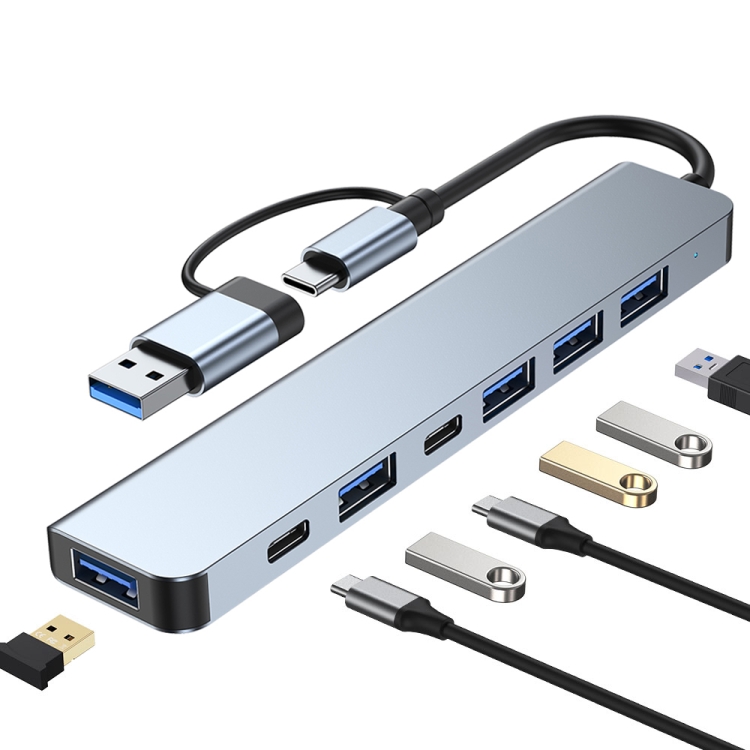
This dual-port design prevents the “wireless mouse lag” issue that plagues some all-USB-3.0 hubs. By keeping wireless peripherals on USB 2.0, the hub maintains stable wireless performance.
Cable Length and Attachment
The BYL-2217TU features an integrated USB-C cable (approximately 15cm). This cable length designed to reach from a laptop’s USB-C port to the hub resting on the desk surface. If you need to position the hub further from your laptop, consider a USB-C extension cable.
PD Pass-Through Charging
Both the BYL-2217TU and BYL-2218TU support PD pass-through charging. This means you can plug your laptop’s USB-C charger into the hub, and the hub will pass power through to the laptop while simultaneously providing data connectivity to all connected peripherals.
Typical PD pass-through supports up to 60-100W, which is sufficient for most laptops. The hub takes a small amount of power (approximately 5W) for its own operation.
Common Issues
Devices Not Recognized
Some older Windows laptops have USB-C ports that only support data, not PD or Alt Mode. If devices connected to the hub aren’t recognized, check whether your laptop’s USB-C port supports data + power. Ports labeled “USB-C” (without Thunderbolt or DP icon) may have limited functionality.
Hub Gets Warm
A warm hub is normal during use, especially with multiple USB 3.0 devices transferring data simultaneously. The hub’s controller chip generates heat proportional to data activity. Ensure the hub isn’t covered or placed on insulating surfaces.