
What Is USB-C and Why Does It Matter in 2025
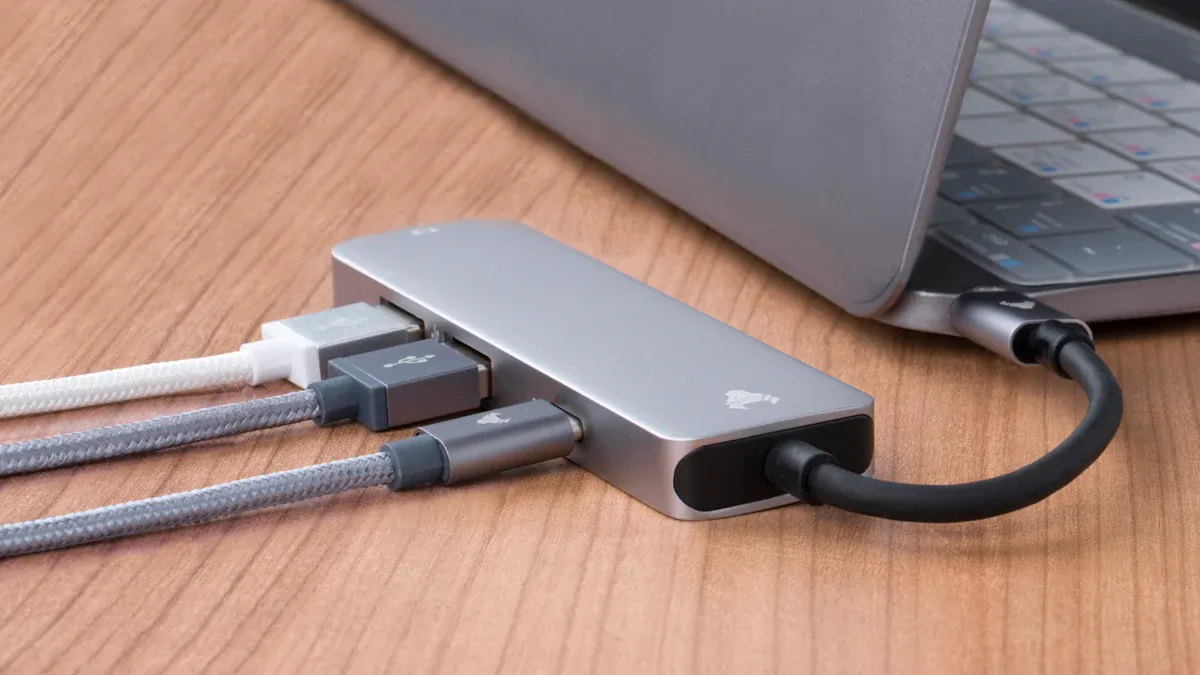
You see USB-C / Type-C on most new devices because it lets you charge, transfer data, and connect displays with one simple, reversible plug. Many countries now push for this standard to cut down on electronic waste.
Region | CAGR (%) | Key Factors Driving Adoption |
|---|---|---|
China | Strong electronics industry | |
India | 19.3 | Growing smartphone market |
Key Takeaways
USB-C is a universal connector that simplifies charging and data transfer for many devices, reducing the need for multiple cables.
The latest USB-C standards allow for faster data transfer and higher power delivery, making it possible to charge laptops and other large devices quickly.
Governments are pushing for USB-C as a standard to cut down on electronic waste, ensuring that future devices will be compatible and easier to use.
USB-C / Type-C Basics and Evolution
What Is USB-C / Type-C?
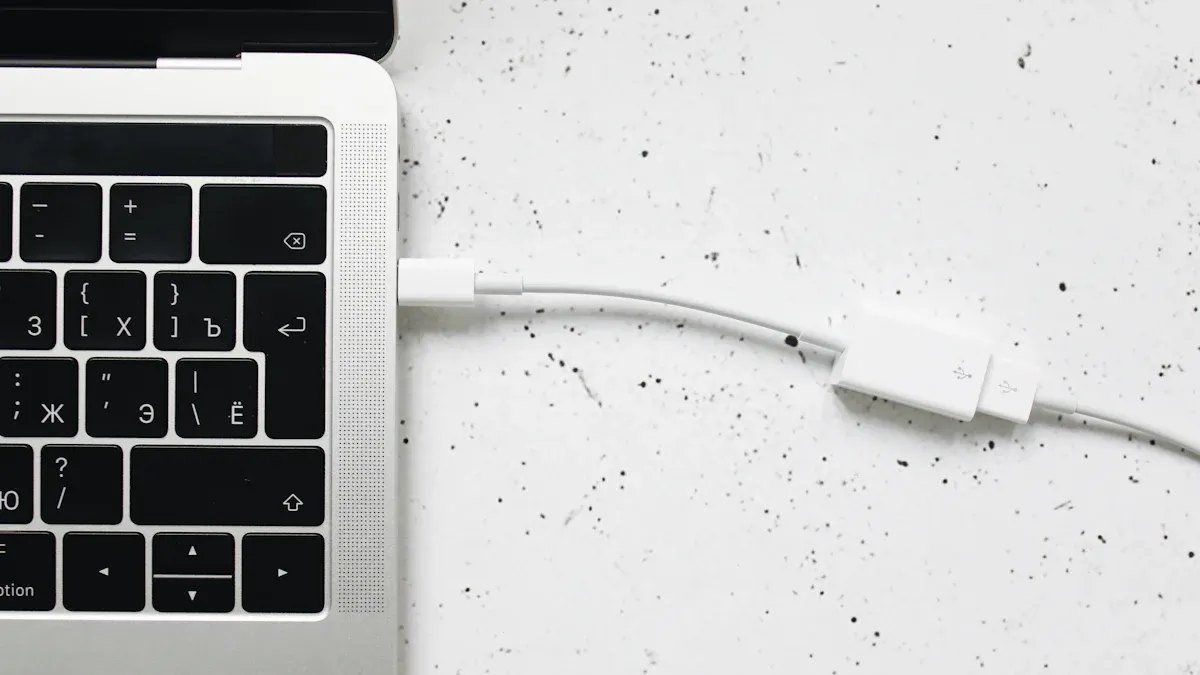
You may notice that USB-C / Type-C looks different from older USB plugs. This connector is small, slim, and has a rounded shape. You can plug it in either way, so you never have to worry about which side is up. USB-C / Type-C first appeared in 2014 and quickly became popular because it works with many devices. You can use it for charging, transferring data, and even connecting displays. Its universal design means you only need one type of cable for most of your gadgets.
Key Features and Improvements
USB-C / Type-C brings several important upgrades over older USB connectors:
The reversible design makes plugging in easy and helps prevent damage.
It supports much faster data transfer speeds, reaching up to 20 Gbps with the latest versions.
You can charge bigger devices, like laptops, because it delivers up to 100 watts of power, and even up to 240 watts with new standards.
The connector is smaller and more durable, lasting up to 10,000 insertions.
Specification | USB-C | Previous USB Standards |
|---|---|---|
Size | 60% smaller | Larger |
Durability | 10,000 insertions | Fewer insertions |
Voltage Rating | Up to 20 volts | Up to 5 volts |
Current Rating | Up to 5 amps | Up to 0.5 amps |
Power Delivery | Up to 100 watts | Limited |
Connector Design | Symmetrical | Asymmetrical |
How USB-C / Type-C Replaced Legacy Connectors
You used to need different cables for phones, laptops, and other devices. USB-C / Type-C changed that. Its universal design means you can use one cable for almost everything. The reversible plug removes the frustration of trying to insert it the wrong way. Most new gadgets, from tablets to monitors, now use USB-C / Type-C. This shift makes your tech life simpler and prepares you for future devices, as new standards like USB 4 and Thunderbolt 5 keep improving what USB-C / Type-C can do.
USB-C / Type-C Benefits and 2025 Relevance
Speed and Power Delivery
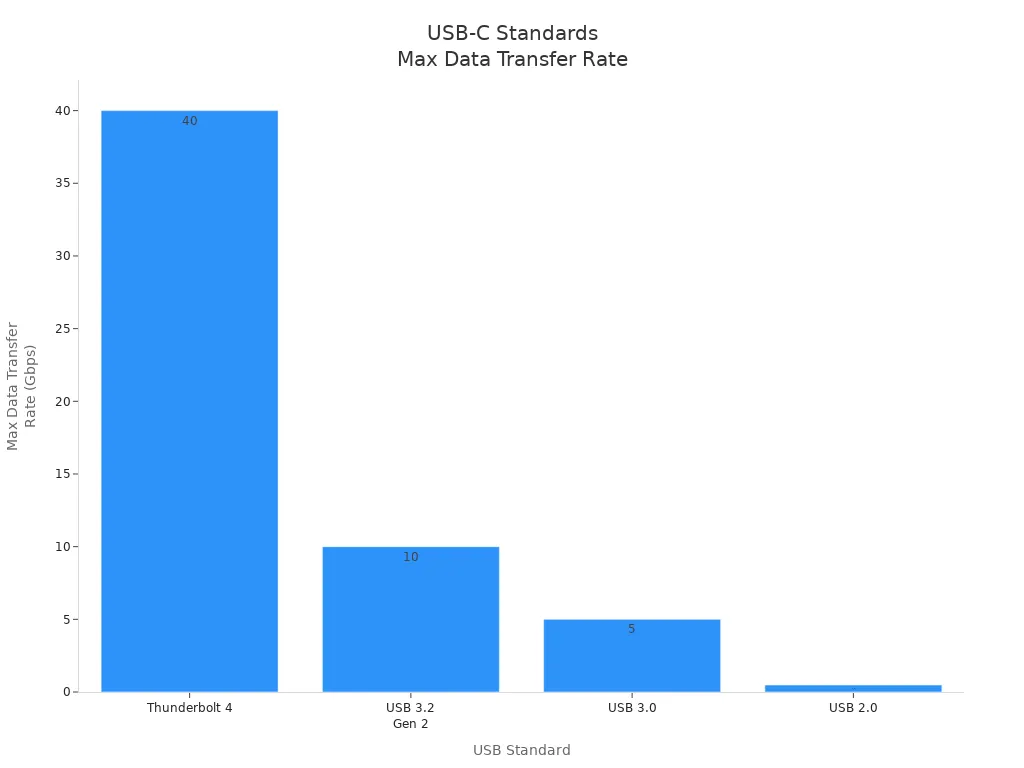
You want your devices to work fast and charge quickly. USB-C / Type-C makes this possible. The latest standards let you transfer huge files in seconds and power up your laptop or phone in less time. You can see how different USB standards compare in the table below:
USB Standard | Maximum Data Transfer Rate |
|---|---|
Thunderbolt 4 | 40 Gbps |
USB 3.2 Gen 2 | 10 Gbps |
USB 3.0 | 5 Gbps |
USB 2.0 | 480 Mbps |
You can also charge bigger devices with USB-C / Type-C. Older USB ports only gave you 2.5 watts, which was slow for phones. Now, USB Power Delivery (PD) lets you charge laptops with up to 100 watts, and USB 4.0 can deliver up to 240 watts. This means you can use one cable for everything from earbuds to gaming laptops.
USB 2.0 provides up to 2.5W, suitable for slow phone charging.
USB PD can deliver up to 100W, sufficient for charging laptops.
USB 4.0 supports Intelligent Power Delivery, allowing up to 240W.
You get faster charging and data transfer, which saves you time and keeps your devices ready for action.
Device Compatibility and Use Cases
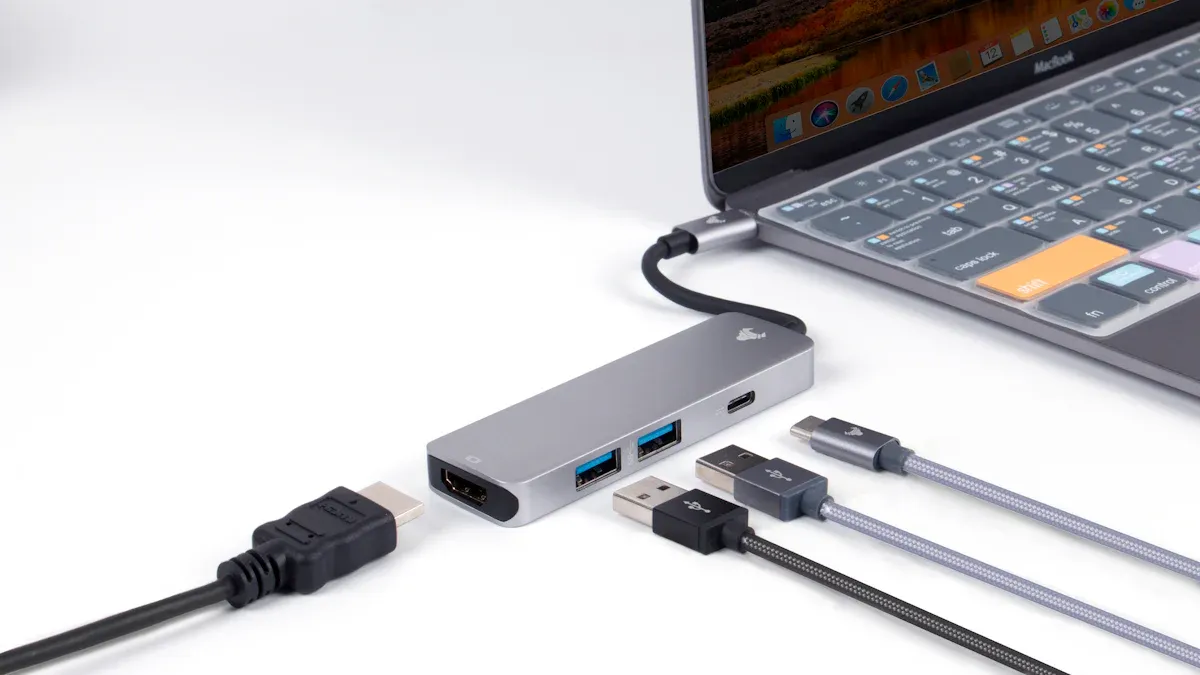
You probably use many devices every day. USB-C / Type-C works with most of them. You can connect your phone, tablet, laptop, or even your headphones with one cable. This connector supports many adapters, so you can plug into different screens, networks, and accessories. Here is a table showing common adapters and what they connect to:
Adapter Type | Compatible Devices | Description |
|---|---|---|
USB-C to USB-A Adapter | 2025 MacBook Air, Samsung Galaxy S24 | Connects USB-C devices to traditional USB-A peripherals. |
USB-C to HDMI/DisplayPort Adapter | Monitors, TVs, Projectors | Mirrors or extends display to larger screens. |
USB-C to Ethernet Adapter | iPad Pro | Adds wired internet connection for faster, reliable access. |
USB-C to 3.5mm Adapter | iPhone 15, Google Pixel 8 | Allows use of wired headphones with devices lacking a headphone jack. |
USB-C to SD/MicroSD Adapter | MacBook Pro, Samsung Galaxy Tab S10 | Reads memory cards directly on USB-C devices. |
USB-C Multiport Adapter | Various devices | Combines multiple ports into one compact device for convenience. |
You can use USB-C / Type-C to charge your phone, connect to a monitor, transfer photos, or listen to music. The connector supports video output, fast charging, and data transfer all at once. You can plug in your AR or VR headset and get power, video, and sensor data through one cable.
The universality of USB Type-C to provide the power, data, and display needed to drive any AR or VR headset has several potential benefits. In particular, USB-C can simultaneously power the headset, so that it doesn’t need to have a battery inside, transfer high-definition video to both eyes using DisplayPort, and transfer high-bandwidth data needed for sensors in the headset to track and communicate the head position and movements.
You get less cable clutter and more flexibility. You can connect to almost anything with one port.
Industry Trends and Future-Proofing
You see USB-C / Type-C everywhere because the world is moving toward one universal connector. Governments and tech companies want you to have an easier time charging and connecting devices. The European Union now requires USB-C for most electronics to cut down on waste and make life simpler. By December 28, 2024, all mobile devices sold in the EU must have USB Type C ports. Laptops must comply by April 28, 2026.
The European Union has mandated USB-C as a universal charging standard to reduce electronic waste.
New requirements for External Power Supplies (EPS) are being introduced under the Ecodesign Directive.
Manufacturers need to adjust product design and testing to comply with the new regulations.
Tech companies are updating their products to meet these rules. You will see clear labels on packaging about charging performance and whether a charger is included. These changes help you know what you are buying and make sure your devices work together.
Trend | Description |
|---|---|
Integration of USB4 and Thunderbolt protocols enhances data transfer speeds and supports multiple streams, crucial for high-performance devices. | |
Regulatory Support | Evolving USB Power Delivery standards allow for higher wattage, enabling charging of larger devices, aligning with consumer demand for convenience. |
Consumer Demand | Increasing preference for versatile and sustainable products drives innovation in USB-C technology, including eco-friendly materials and intelligent power management systems. |
You can expect USB-C / Type-C to stay important for years. Companies keep improving the technology, making it faster and more reliable. You get more choices and better performance. The connector supports new tech like AR and VR, and it helps the environment by reducing waste.
Tip: Always use your own charger or a USB data blocker when charging in public places. This keeps your device safe from data theft.
You get a future-proof solution that works with new devices and meets global standards.
You get a simpler tech life with USB-C / Type-C. The reversible plug, fast charging, and wide compatibility make daily tasks easier. You help reduce electronic waste by using one cable for many devices. Choose this connector for a future-ready, clutter-free, and more sustainable experience.
FAQ
What devices use USB-C / Type-C in 2025?
You find USB-C / Type-C on phones, laptops, tablets, headphones, monitors, and gaming consoles. Most new electronics use this connector for charging and data.
Can you use any USB-C cable for fast charging?
Not all USB-C cables support fast charging. You should check the cable’s wattage rating and look for USB Power Delivery (PD) support.
Is USB-C / Type-C safe for public charging stations?
You should use your own charger or a USB data blocker.
This helps protect your device from data theft at public charging spots.